Pick Playground Sessions if you want piano lessons built around popular songs, with over 2,000 arrangements, Bootcamp courses and a lifetime license option. Pick Yousician if you also want guitar, bass, ukulele or singing in one plan, and a game-style path with stars, scores and leaderboards. We score Playground Sessions 4.5/5 in our Playground Sessions review, and we have not scored Yousician yet.
Both apps listen as you play and score your notes and timing. The split is focus: Playground Sessions teaches only piano through popular songs, while Yousician spreads one plan across five instruments. For more piano options, see our ranked guide to the best online piano lessons.
Want to try Playground Sessions? Start your Playground Sessions free trial
Playground Sessions and Yousician at a glance
Playground Sessions was co-founded with Quincy Jones, and its teachers include David Sides, Phil Anderson, Wi Chen and Theron Brown.
Yousician teaches guitar, piano, bass, ukulele and singing, and all its Premium plans include unlimited lessons for each of those instruments.
Prices and plans
Playground Sessions offers monthly, yearly and lifetime options, with a 7-day free trial that starts when you enter payment details and a 30-day money-back guarantee on first purchases. The prices below are regular prices, so check checkout for any sale. Yousician offers monthly or yearly plans.
Playground Sessions regular prices
- $24.99 a month
- $149.99 for the first year, then $12.49 a month from month 13
- $349.99 once for a lifetime license, covering Bootcamp, Courses and public-domain songs for life, with copyrighted songs unlimited for 2 years
Yousician plans
- Premium: unlimited lessons for all five instruments, plus Yousician songs
- Premium+ Personal: adds popular songs
- Premium+ Family: Premium+ for up to 4 people
Yousician shows current prices for your country on its plans page, so check there before you buy. New customers can try Premium+ free with a yearly membership. Web purchases can be refunded in full within 14 days if you have not used Yousician.
Interface
Both apps listen to your playing and give real-time feedback. A USB or MIDI keyboard gives the most accurate results, and both can also hear an acoustic piano through your device’s microphone.
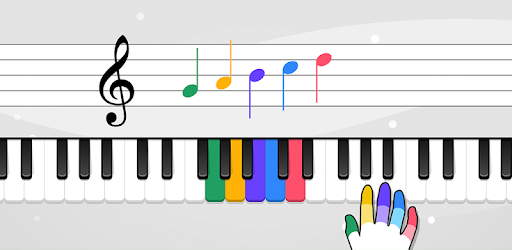
Yousician offers four notation views, from falling notes and colored notes to standard sheet music. Its Play mode feels a little like a rhythm game, with stars and points.
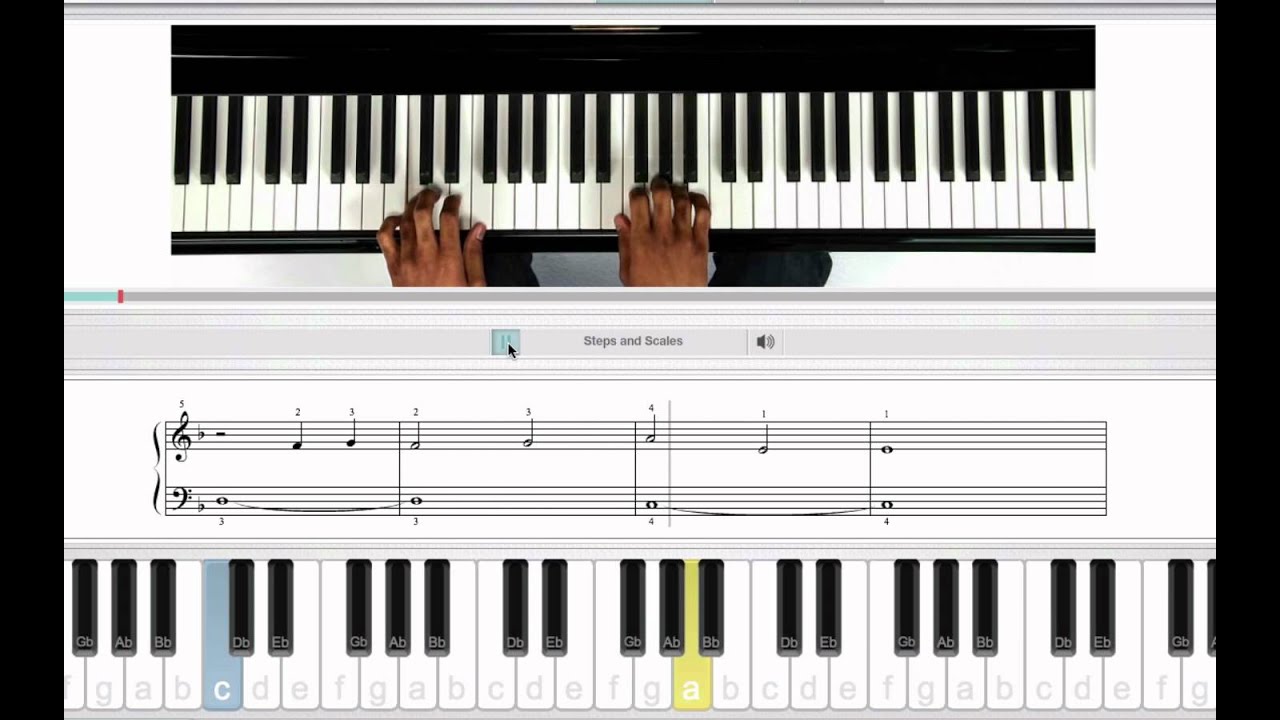
Playground Sessions lets you watch a demo of either hand or both, and switch on finger numbers, note names and a metronome.
Both give you a score after you play. Playground Sessions shows an accuracy score at the end, and Yousician awards stars and points, with gold stars only when you play everything right with good timing.
Playground Sessions has a dashboard with stats to track your progress, and Yousician sends a weekly activity report with the notes you played and your play time.
Courses and progression
Playground Sessions is built around Bootcamp, which runs through Rookie, Intermediate and Advanced levels, plus Courses and Songs. Rookie assumes no background at all.
Courses add focused practice, such as:
- 50 Easy Melodies
- Both Hands Practice
- Reading Staff Notation
- 1 Octave Scales
- Chords Practice with triads
- Hanon Exercises
Yousician’s piano learning path is built from missions, levels and themes.
- Missions are the lessons themselves, made of songs, video tutorials and trainers.
- Levels group missions by difficulty, starting from Basics. The path is unlocked, so you can skip to any mission.
- Themes split the path into Classical and Pop, with 9 levels each, and Knowledge, with 5 levels of music theory mini games.
Both offer clear, organized paths. Playground Sessions goes deeper on piano, with Bootcamp, Courses and over 2,000 song arrangements, while Yousician spreads one plan across five instruments.
Does Playground Sessions or Yousician actually correct your playing?
Both apps give automatic feedback as you play. Playground Sessions marks notes green, red, or pink when mistimed, and shows an accuracy score at the end. Yousician listens through your device’s microphone or a keyboard connection and gives instant feedback, with stars and a score in Play mode.
A USB or MIDI cable gives Playground Sessions its most accurate real-time feedback, and a MIDI, USB or Bluetooth connection improves note recognition on Yousician. Yousician’s video tutorials are lessons to watch, not a review of your own playing.
The feedback both companies describe is about the notes you play and their timing. For dynamics, expression, hand position and posture, record yourself or ask a teacher.
Our advice: use a cable if your keyboard has one, and book an occasional live lesson to check technique. Compare more options in our best online piano lessons guide.
Playground Sessions vs Yousician: Which should you pick?
For learning piano, Playground Sessions is our pick for beginners and returning players alike. Its Rookie, Intermediate and Advanced levels give every player a clear place to start, while Yousician’s unlocked path lets you jump to any mission.
Playground Sessions focuses entirely on piano. If you play more than one instrument, Yousician covers guitar, bass, ukulele and singing as well as piano, which might sway you.
You can try both before you pay: Playground Sessions with a 7-day free trial, and Yousician with a free Premium+ trial for new customers who choose a yearly membership.
Want to try Playground Sessions? Start your Playground Sessions free trial