Fender Play is worth it for beginners and improving intermediate players. The catch is that advanced players outgrow it. We score it 4.5/5. Pick the $149.99 annual plan unless you only want a month or two. Fender Play is Fender’s own lesson app: short 4K video lessons for guitar, bass and ukulele, a seven level guitar path built around famous riffs, and a Feedback Mode that listens as you play. It is one of the most polished options among the best online guitar lessons for going from first chord to first song.
For beginners and improving intermediate players, it is an easy recommendation at $19.99 a month or $149.99 a year. Advanced players will run out of road sooner, and refunds are not given for partly used months or years.
4.5/5

- 3instruments
- 7guitar levels
- 3,000+lessons
- 6guitar styles
- 14-dayfree trial on annual
- 10%off gear on annual
Fender Play is a guided video course for beginner and intermediate guitar, bass and ukulele players, built around a seven level guitar path and famous songs. Feedback Mode listens through your device microphone, so you can get real time feedback without a cable.
- Best for
Beginners and intermediate players who want a song led path
- Less suited
Advanced players and anyone who needs partial refunds
- Devices
Website plus apps for iPhone, iPad (iOS 17+) and Android (11+)
- Trial
7 days on Monthly, 14 days on Annual, new members only
- Current price
Monthly $19.99; Annual $149.99 a year; No sale at our last check
Who it’s for
This is a course for people who want to play songs they know, soon. The path starts with holding the instrument and tuning up, and the first level already reaches riffs by The Who and Green Day.
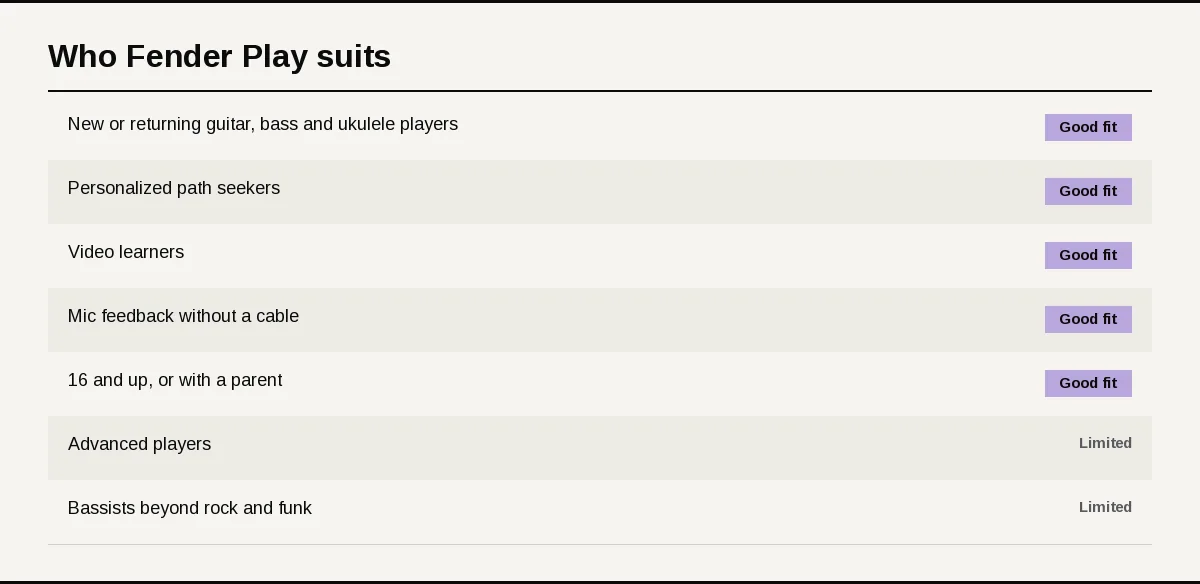
A good fit if you
- Are new to guitar, bass or ukulele, or returning after a break and want to fill gaps.
- Want a guided path picked from your instrument, level and favorite style.
- Learn best from short videos with close up, over the shoulder camera angles.
- Want feedback on your playing without buying a cable or interface.
- Are 16 or older, or are younger and learning with a parent or guardian involved.
A limited fit if you
- Are already an advanced player looking for deep technique or genre study.
- Play bass in styles beyond rock and funk, the two bass styles on offer.
What sets it apart
Plenty of apps teach guitar; three things set Fender Play apart from video libraries and app games. Each shapes the first week as much as the fifth month.
A path picked for you
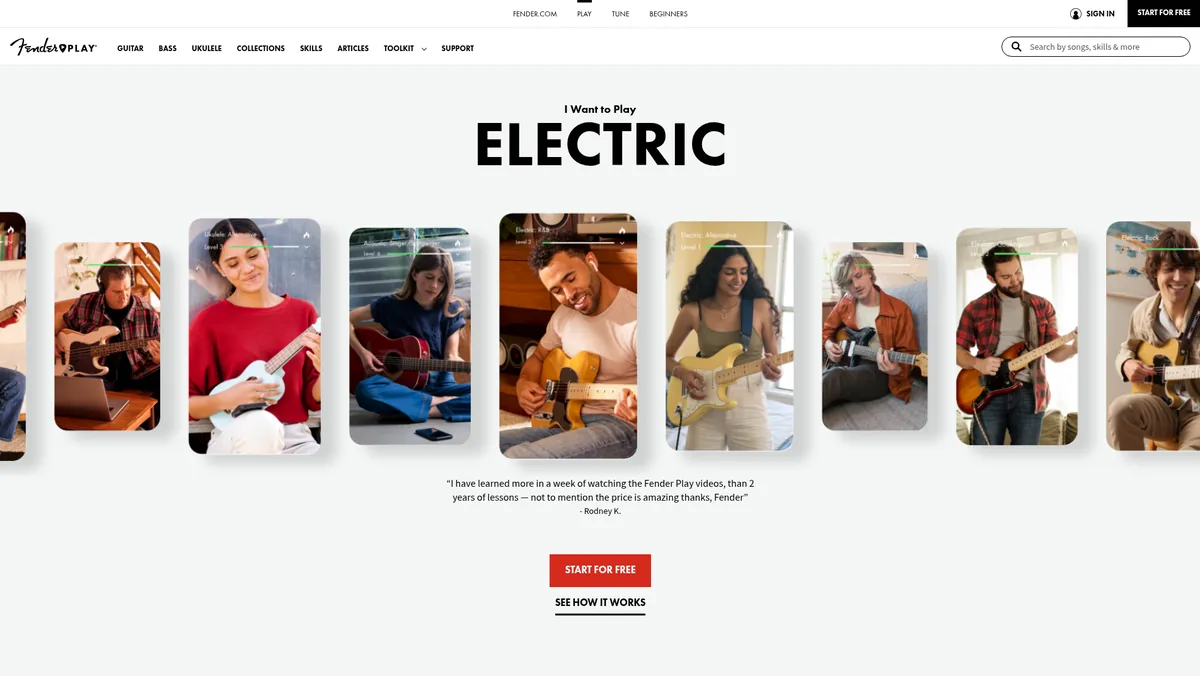
New members answer a few questions about their instrument, level and style. Fender Play then builds a personalized path that runs step by step from the basics to the skills behind that style.
Guitar comes in six styles: rock, pop, R&B, country, blues and folk. Bass covers rock and funk, and ukulele has one mixed path.
Studio grade video and named teachers
Lessons are filmed in 4K with several camera angles, including over the shoulder views and split screens. When a chord shape is hard to read, a second angle usually solves it.
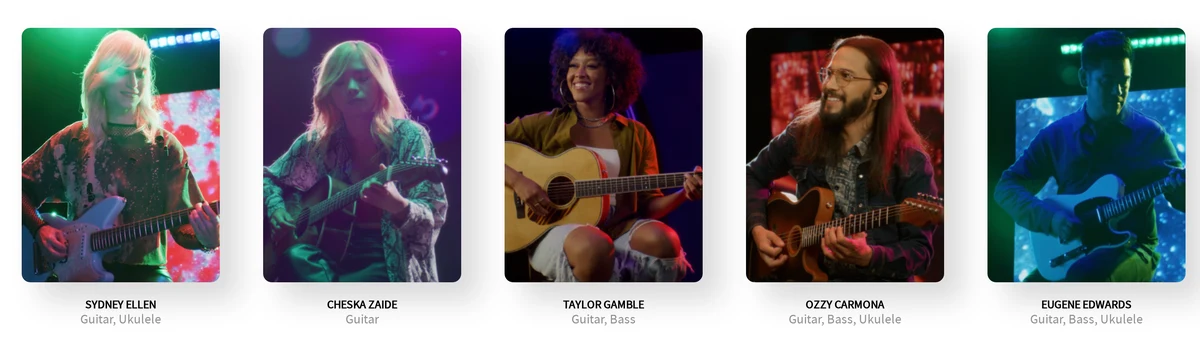
The faculty includes Sydney Ellen on guitar and ukulele, Cheska Zaide on guitar, Taylor Gamble on guitar and bass, and Ozzy Carmona and Eugene Edwards across all three instruments.
Feedback through your microphone
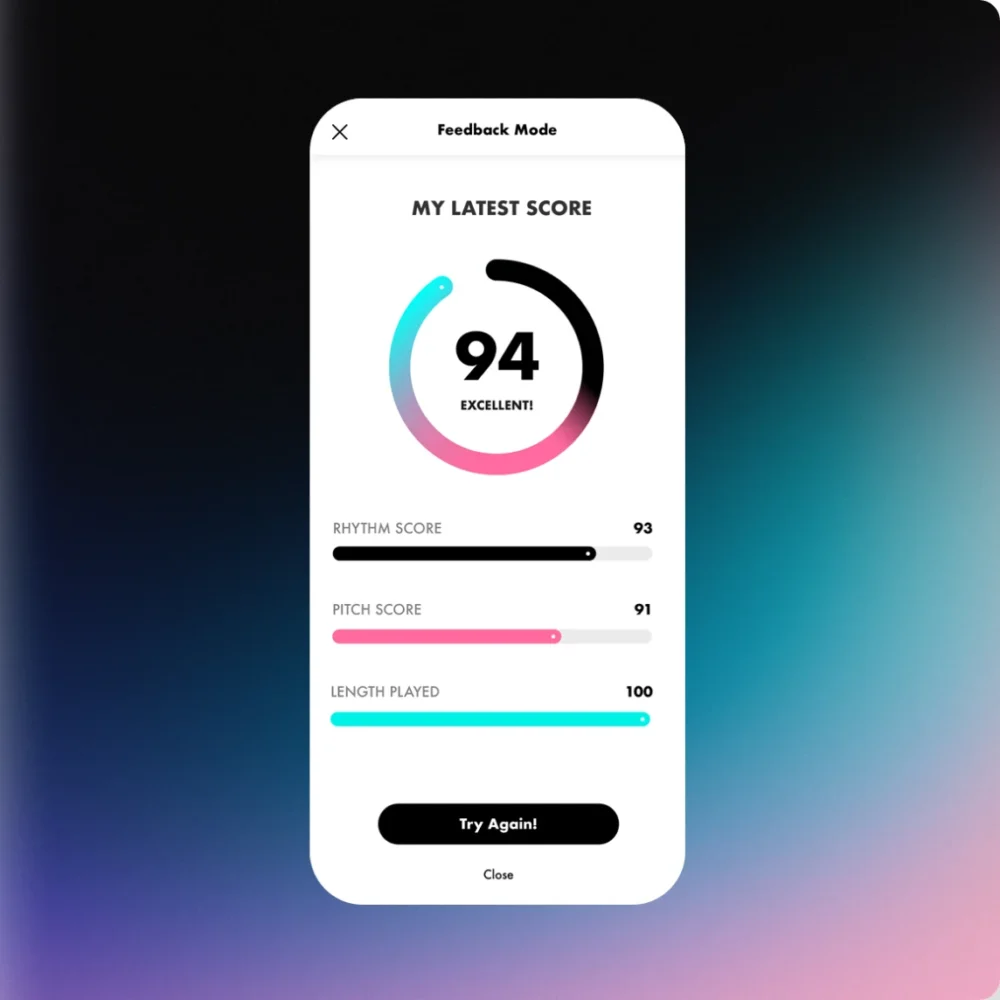
Feedback Mode listens through your device microphone and scores a song or riff in real time, with a high score to beat. No cable or audio interface is needed, which keeps setup to a single permission tap.
How we evaluated Fender Play
We reviewed Fender Play. We assessed its learning paths, levels, instruments and instructors. We also checked pricing, trial lengths, refund and cancellation terms, and the device and gear requirements.
We compared it on the four factors in how we score lesson platforms. For setup and ease of use, we assessed device support, the sign up questions and what you need to start on each instrument. For quality of lessons and teachers, we looked at the seven level guitar path, the video production and the instructors.
For range of content, we compared three instruments, eight styles and more than 3,000 lessons. For useful features, we weighed Feedback Mode, Practice Mode, backing tracks, Collections and progress that follows you across devices.
We found that Fender Play is strongest for beginners and intermediate players who want a song led path with feedback, and that its no partial refund terms are the main thing to note before paying. Commissions do not influence which products appear here or how they rank.
Our scores
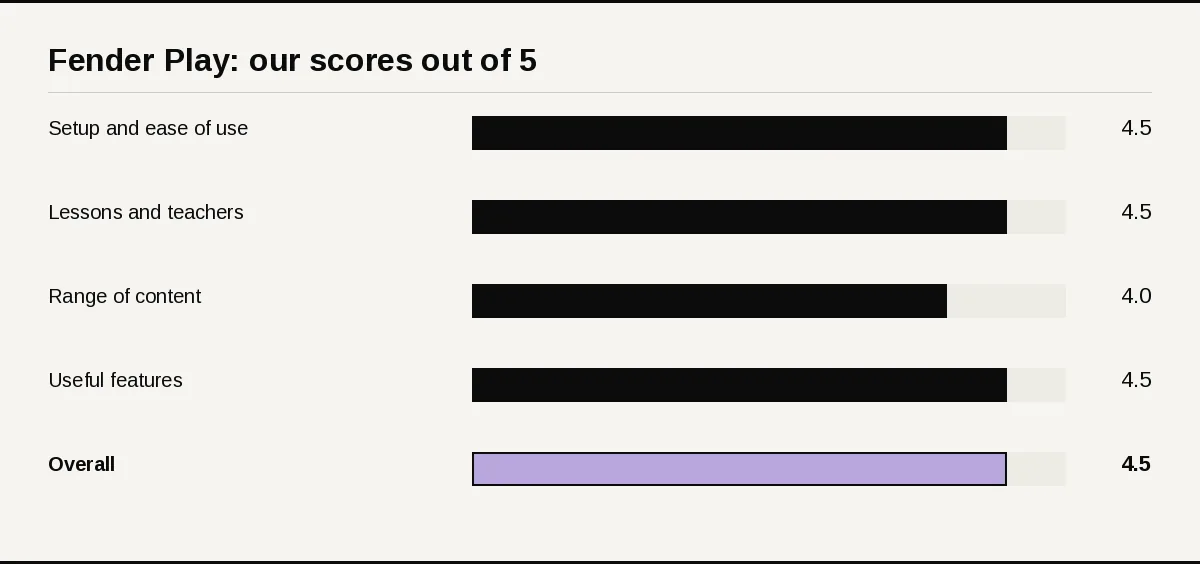
- Setup and ease of use: 4.5/5. Apps for iPhone, iPad and Android plus a website, with feedback through the device microphone and progress that syncs across devices. Subscriptions bought in an app are managed in your phone’s subscription settings, not on the website.
- Quality of lessons and teachers: 4.5/5. Short 4K lessons with multi camera angles, five named instructors and a seven level guitar path with clear skills at each step.
- Range of content: 4/5. Guitar, bass and ukulele, more than 3,000 lessons and thousands of songs. The content stops at intermediate level, and bass has two styles.
- Useful features: 4.5/5. Feedback Mode, Practice Mode with scrolling tab and a metronome, backing tracks, Collections and 10% off Fender gear on the annual plan.
- Overall: 4.5/5.
The overall score is the average of the four factor scores, rounded to the nearest half point.
What you need to use Fender Play
Three checks decide how smoothly Fender Play starts: your device, your instrument and a working microphone. Sort them before the trial clock starts.
Supported devices
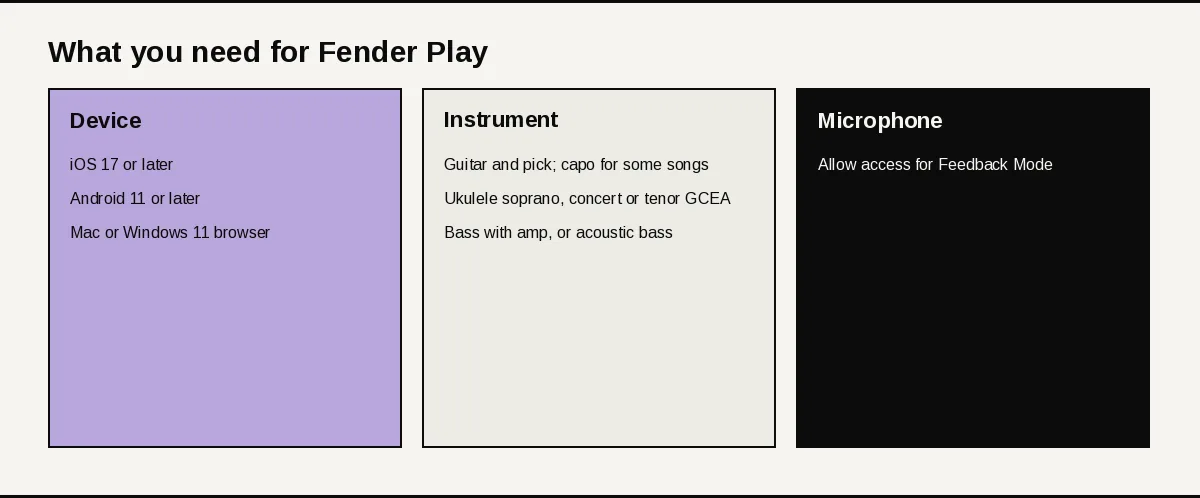
- iPhone and iPad app: iOS 17 or later.
- Android app: Android 11 or later, on most device models.
- Website on a computer: Chrome, Firefox or Safari on macOS 11 or later; Chrome, Firefox or Edge on Windows 11 or later.
- Website on a phone: Chrome on Android 9 or later, or Chrome or Safari on iOS 17 or later.
Lessons can also go on a TV through AirPlay to an Apple TV or through Chromecast. Your progress follows you across devices as long as you sign in with the same account.
Your instrument
For guitar, a guitar and a pick cover most lessons; a strap helps, and some lessons call for a capo. Electric players with an amp also get lessons on shaping tone.
Ukulele lessons need a soprano, concert or tenor ukulele in G C E A tuning, with a high or low G. Bass lessons need a bass and an amp, or an acoustic bass guitar.
Microphone for Feedback Mode
Feedback Mode uses your device microphone. The first time you open it, allow microphone access so the app can hear you.
Getting started
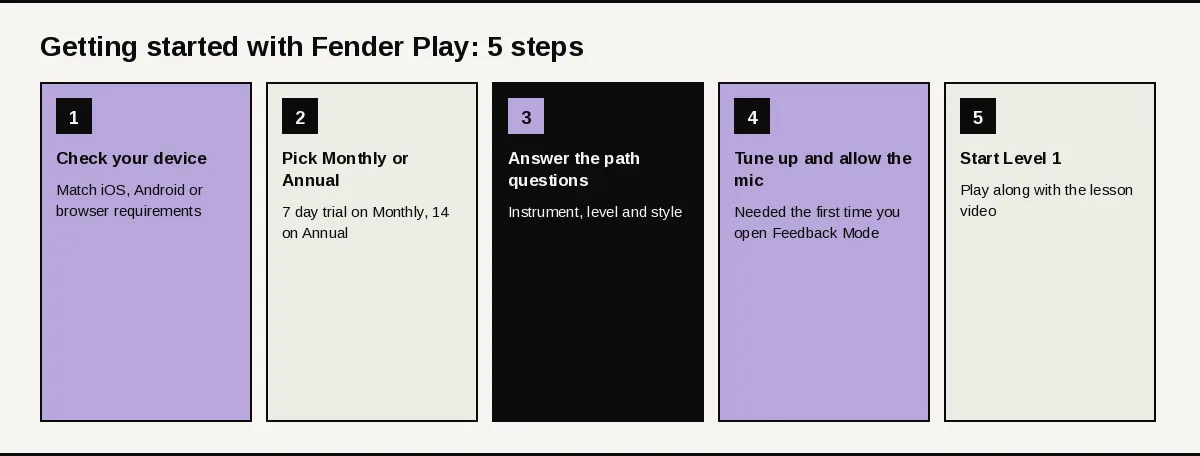
Five steps take you from sign up to your first riff. Do them in order and the trial goes on playing, not on settings.
First session checklist
- Check your device against the list above.
- Pick a plan: the Monthly plan comes with a 7 day free trial, the Annual plan with 14 days.
- Answer the questions on instrument, level and style to get your personalized path.
- Tune up and allow microphone access the first time you open Feedback Mode.
- Start Level 1 and play along with the lesson video.
How the app is organized
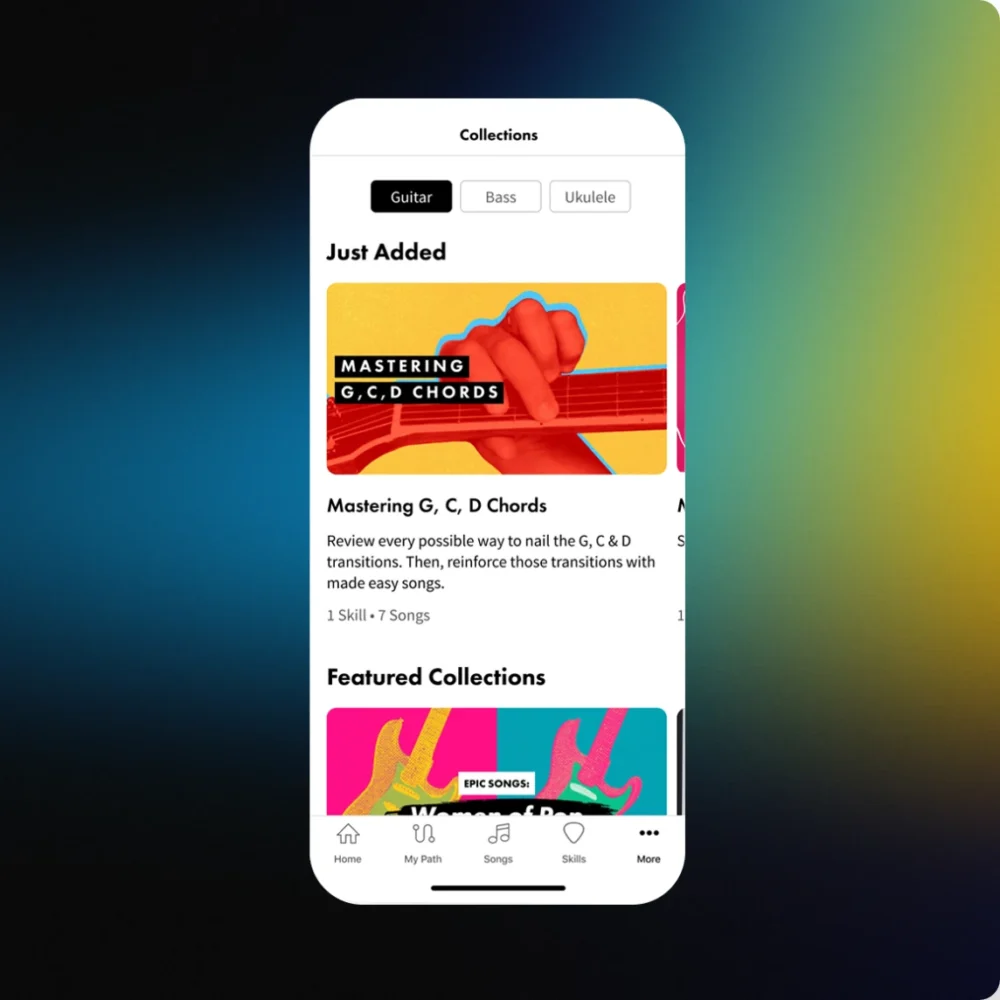
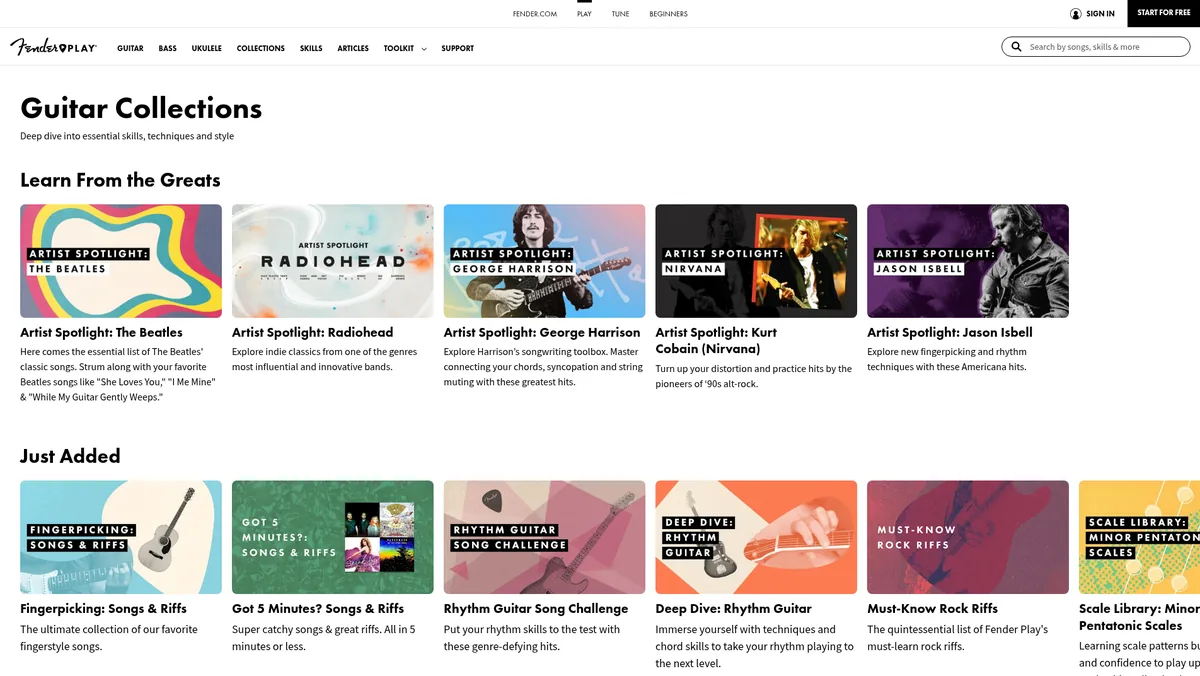
The menu splits by Guitar, Bass and Ukulele, with Collections and Skills alongside. Collections group lessons by artist, genre and live lessons.
Curriculum deep dive
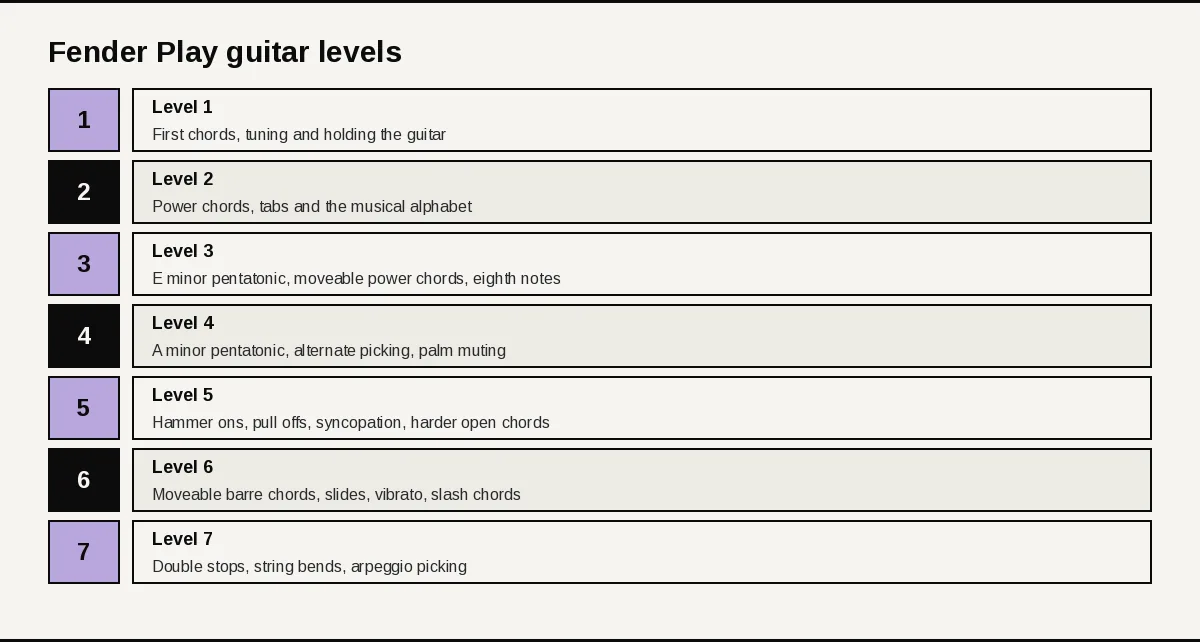
The guitar path runs through seven levels, each mixing a few new skills with songs that use them. Here is what each level covers, using Fender Play’s own level highlights.
Levels 1 and 2: first chords and power chords
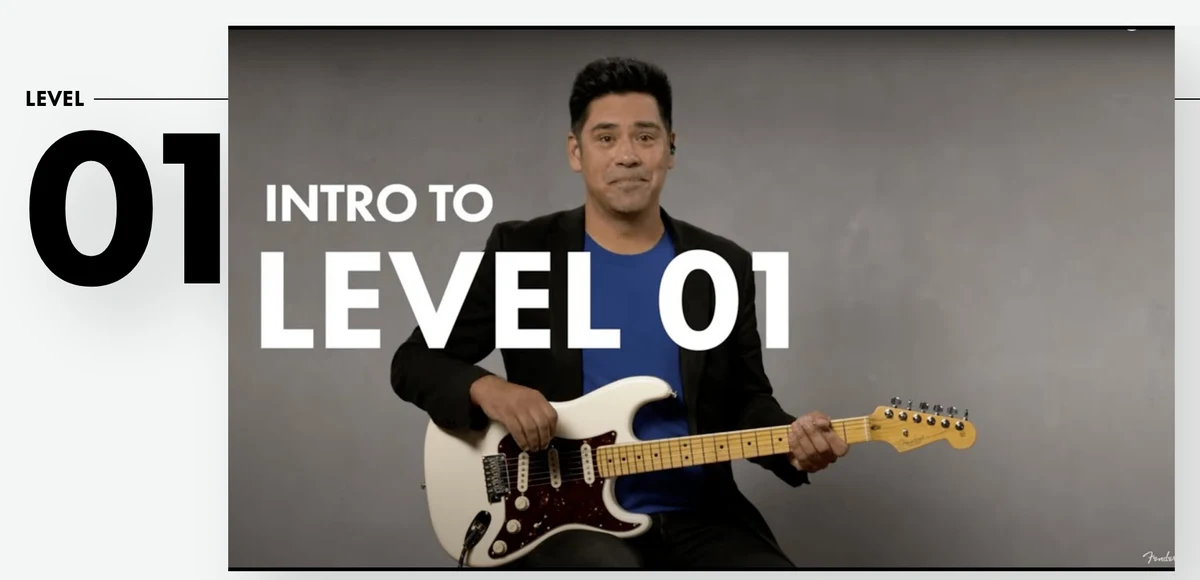
Level 1 covers holding the guitar, tuning up and the first chords and riffs, with songs such as “Baba O’Riley,” “Good Riddance (Time of Your Life)” and “(I Can’t Get No) Satisfaction.”
Level 2 adds power chords and the first music theory, like reading tabs and the musical alphabet. “Come As You Are,” “Black” and “Another Brick in the Wall Pt. 2” are among its songs.
Levels 3 and 4: pentatonic scales and picking
Level 3 brings in the E minor pentatonic scale, moveable power chords and eighth note rhythms, with “Bad Moon Rising” as one of its songs. Level 4 moves to the A minor pentatonic scale, alternate picking and palm muting, with “Believer” and “Reptilia.”
Levels 5 to 7: technique and lead
Level 5 drills hammer ons, pull offs, syncopation and harder open chords, through songs like “Crazy Train” and “Buddy Holly.” Level 6 adds moveable barre chords, slides, vibrato and slash chords, with “Hit Me With Your Best Shot.”
Level 7 takes the lead with double stops, string bends and arpeggio picking. “Bulls on Parade” and “Pills” close out the path.
Bass and ukulele
Bass has its own paths in rock and funk, and ukulele mixes styles on one path. Both use the same lesson format, instructors and practice tools as guitar.
Songs and practice tools
The song library
The library runs to thousands of songs by artists from rising stars to music legends. Song lessons teach a track step by step, so you can learn a hit in pieces.
How practice works
Practice Mode puts auto scrolling tablature next to a built in metronome, so you can read and keep time together. Backing tracks then let you play the part with a band behind you.
Feedback Mode closes the loop. It listens, scores the song or riff and shows a high score for the next attempt.
Does Fender Play actually correct your playing?
Online lessons give feedback in three ways: automatic (an app listens and scores your notes), asynchronous instructor video (you upload, a teacher replies) and live lessons (real time with a teacher). Fender Play covers the automatic kind inside the subscription, and its tools split in two: features that tell you how you did, and controls that shape how you practice.
Feedback and progress
- Feedback Mode: real time feedback through the microphone, with a high score to beat.
- Personalized path: a step by step route through your chosen instrument and style.
- Progress sync: pick up on any device with the same login.
Fender Play’s Feedback Mode listens through the microphone and gives automatic real-time scores as you play. An app score does not judge tone, dynamics or hand technique.
Our recommendation: use Feedback Mode for notes and timing, record yourself to check tone and technique, and book an occasional live lesson when you want a teacher’s eye. If you want instructor replies to your videos, Guitar Tricks includes a Feedback System in Full Access, and ArtistWorks Premium is built around video exchanges with a teacher.
Practice controls
- Practice Mode: auto scrolling tablature with a built in metronome.
- Backing tracks: play along with a band.
- Collections: lessons grouped by artist, genre and live lessons.
- TV viewing: AirPlay or Chromecast lessons to a bigger screen.
- Gear discount: annual members get 10% off Fender and Squier gear bought from Fender, excluding Custom Shop instruments.
Pros and cons
Where it’s strong
- Seven level guitar path that teaches skills through famous riffs and songs
- Guitar, bass and ukulele in one subscription
- Short 4K lessons with multi camera angles and named instructors
- Feedback Mode listens through your microphone, with no cable needed
- Apps for iPhone, iPad and Android, plus a website, with progress that syncs
- A 14 day free trial and 10% off Fender gear on the annual plan
Where it falls short
- Content stops at intermediate level
- No refunds for partly used months or years
- The trial rolls into a paid plan automatically
- Bass covers only rock and funk styles
- Subscriptions bought in the app are managed in your phone’s settings, not on the website
Price, trial and refund
Two plans, one subscription for all three instruments. Regular US prices are below; no sale was running at our last check. Sale prices come and go, so check the checkout page before you pay.
| Plan | Regular US price | Current sale | Includes | Trial | Refund |
|---|---|---|---|---|---|
| Monthly | $19.99 a month | No sale at our last check | Guitar, bass and ukulele lessons, Feedback Mode, Practice Mode | 7 days | No refunds for partial months |
| Annual | $149.99 a year (about $12.50 a month) | No sale at our last check | Everything in Monthly, plus 10% off Fender gear | 14 days | No refunds for partial years |
The annual plan costs about $90 less than twelve months of the monthly plan. It renews automatically each year at the non discounted renewal price, so check the rate before your renewal date.
Trial, renewal and canceling
The free trial is for new members and can be used once. When it ends, your account rolls into the plan you chose, and canceling during the trial means you are not charged.
Cancel on the Your Account page of the Fender Play website, and access runs to the end of the period you paid for. If you subscribed in the iPhone or Android app, cancel through your phone’s subscription settings instead.
How to judge it during the free trial
Monthly plans get 7 days free; annual plans get 14. Cancel inside the trial window to avoid the first charge.
- Record a simple open chord or riff on day 1 and again near the end of the trial.
- Run Feedback Mode with the mic on one song lesson and note whether the scoring helps you correct mistakes.
- Complete Level 1 basics (hold, pick, tune) and one song lesson in your chosen style.
- Check that progress syncs if you switch between phone and browser.
- Cancel from the Fender Play account before the trial ends if you do not want to continue.
How it compares
| Option | Format | Feedback | Instruments | Best for |
|---|---|---|---|---|
| Fender Play | Short video lessons on a personalized path, app and web | Feedback Mode through the microphone | Guitar, bass, ukulele | Beginners who want short lessons and app scoring |
| Guitar Tricks | Large video lesson library with a structured core course | Play along scoring on some lessons, instructor video feedback, private Zoom lessons | Guitar | Players who want a deeper library and teacher feedback |
| JustinGuitar | Free structured course on the web, plus an app | In app exercises | Guitar | Budget minded beginners |
| Yousician | Game style lesson app | Real time feedback through the microphone | Guitar, bass, ukulele, piano, singing | Learners who like game style practice |
Guitar Tricks
Guitar Tricks is a big guitar only video library with a step by step core course. It suits players who want more depth and genre range than a beginner path.
JustinGuitar
JustinGuitar offers a structured beginner course for free, with a paid app on top. It suits budget minded learners who are happy to drive their own practice.
Yousician
Yousician turns practice into a game that listens and scores every note. It suits learners who want feedback on every exercise more than filmed lessons.
When to choose an alternative
- Choose Guitar Tricks over Fender Play if you want a deeper guitar library that reaches advanced players. Compare them in Guitar Tricks vs Fender Play.
- Choose JustinGuitar over Fender Play if you want a free structured beginner course.
- Choose Yousician over Fender Play if you want game style practice with feedback on every exercise.
Who should skip it
- Advanced players: the content is built for beginner and intermediate levels.
- Bassists outside rock and funk: those are the only two bass styles.
- Anyone who needs refund flexibility: partial months and years are not refunded.
FAQs
How much does Fender Play cost?
At regular US prices, Fender Play costs $19.99 a month or $149.99 a year, which works out to about $12.50 a month. No sale was running at our last check.
Is there a free trial?
Yes. New members get a 7 day free trial on the Monthly plan or a 14 day free trial on the Annual plan, once per member.
Does Fender Play give refunds?
No refunds are given for partial months or partial years. Cancel before your plan renews to avoid the next charge.
How do I cancel Fender Play?
Cancel on the Your Account page of the Fender Play website, and access continues to the end of your paid period. If you subscribed in the iPhone or Android app, cancel through your phone’s subscription settings.
What instruments does Fender Play teach?
Guitar, bass and ukulele. Guitar has six styles, bass has rock and funk, and ukulele has one mixed path.
Is Fender Play only for beginners?
No. It covers beginner and intermediate players, from first chords to string bends and arpeggio picking, but it does not go into advanced material.
Can Fender Play hear me play?
Yes. Feedback Mode listens through your device microphone and gives real time feedback on songs and riffs.
What devices does Fender Play work on?
The app runs on iPhone and iPad with iOS 17 or later and on most Android devices with Android 11 or later. The website works in current browsers on Mac and Windows 11 computers.
What gear do I need?
A guitar and a pick cover most guitar lessons, with a capo for some. Ukulele needs a soprano, concert or tenor in G C E A tuning, and bass needs an amp or an acoustic bass.
Do annual members get a gear discount?
Yes. Annual members get 10% off Fender and Squier gear bought from Fender, excluding Custom Shop instruments.
Pick up a guitar, answer three questions and Fender Play hands you a path from “Baba O’Riley” to string bends. Use the free trial to check the Feedback Mode works in your room, then settle in.
Still weighing paid against free? Our Guitar Tricks and JustinGuitar matchup covers both ends, and the full list of guitar lesson sites covers the rest.