Simply Piano is worth it for beginners, kids and families who want to learn on a phone or tablet with an app that listens as they play. The catch is that there is no Windows or desktop version, and prices change with country, platform and offer. We score it 4/5: play the two free courses first, then choose a yearly plan, the only kind with the 7 day free trial, which shows in the US iPhone and iPad app at $119.99 or $149.99 for 12 months, depending on the plan offered.
Simply Piano is a phone and tablet app that listens as you play and tells you how you did. It works with any piano or keyboard, starts with two free courses and splits into a melody path and a chords path once the basics click.
For beginners, kids and families who want a light, phone first start, it is one of the easiest picks in our ranked list of online piano lessons. The trade offs are no Windows or desktop version and prices that change with country, platform and offer, so check the price inside the app before you pay.
4/5

- 450+step by step lessons
- 2free courses
- 2learning paths
- 5family profiles
- 7-daytrial on yearly plans
- 4+age rating
Simply Piano is a phone and tablet app that listens as you play any piano or keyboard, with two free courses and separate melody and chords paths. It suits beginners and families who want a quick start, but there is no Windows or desktop version.
- Best for
Beginners, kids and families who want a phone first start
- Less suited
Learners who want to practice on a Windows PC or Mac
- Keyboard
Any piano via the microphone, or a MIDI cable; Bluetooth MIDI on iPhone and iPad
- Trial
7 day free trial on yearly plans
- Current sale
12 months $95.99, 20% off
$119.99; US prices on iPhone and iPad; prices vary by country
Who it’s for
Simply Piano suits all ages, needs no previous knowledge and starts free, so a curious beginner can find out quickly whether piano sticks.
A good fit if you
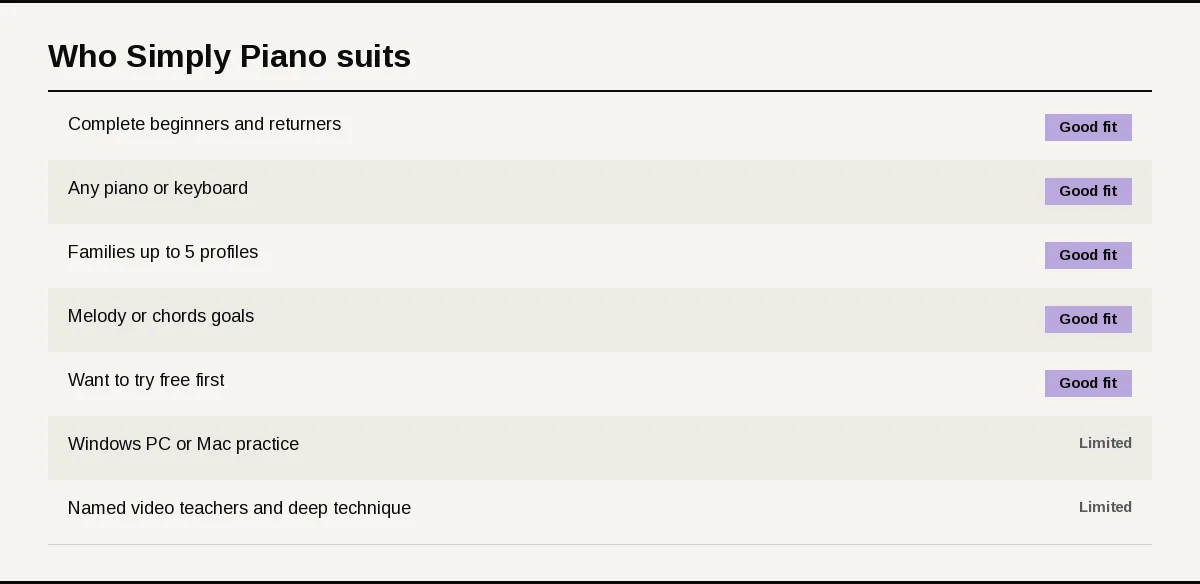
- Are a complete beginner, or a returner, and want short guided lessons on a phone or tablet.
- Have any piano or keyboard, acoustic or digital, with or without a MIDI port.
- Are learning as a family and want up to 5 profiles on one plan.
- Want to choose between playing melodies and accompanying songs with chords.
- Want to try before paying, with two free courses and a 7 day trial on yearly plans.
A limited fit if you
- Want to practice on a Windows PC or Mac.
- Want named video teachers and deep technique study rather than app led lessons.
What sets it apart
Three things set Simply Piano apart from desktop courses and video led apps.
It listens to any piano
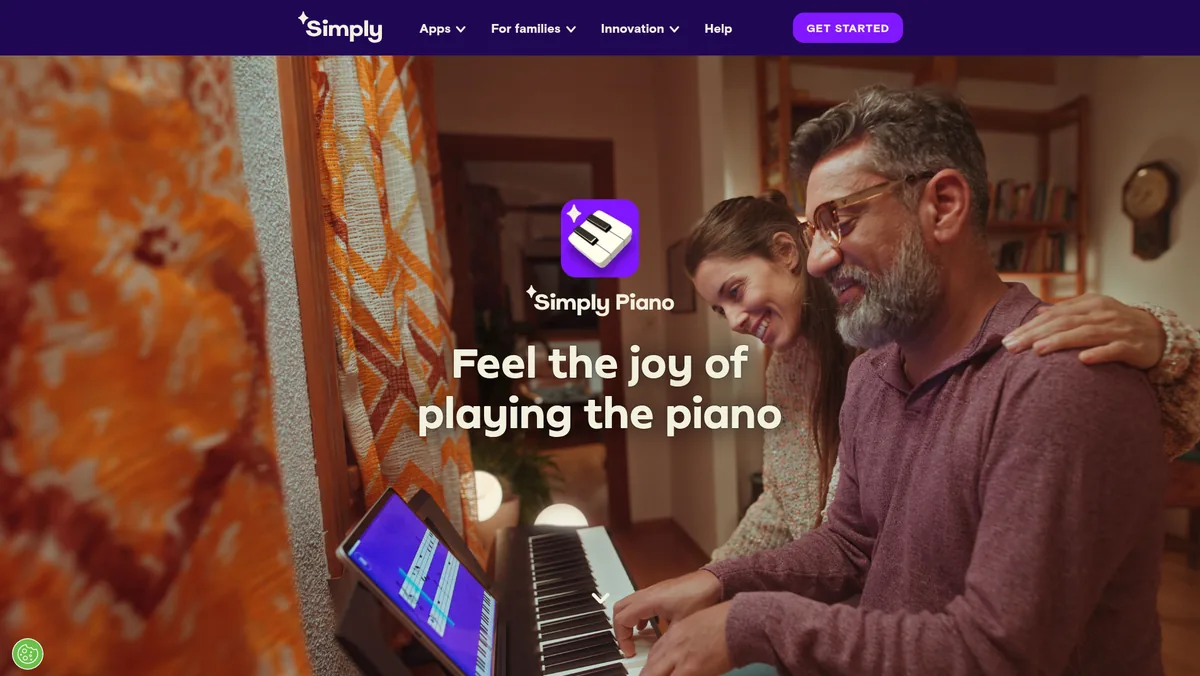
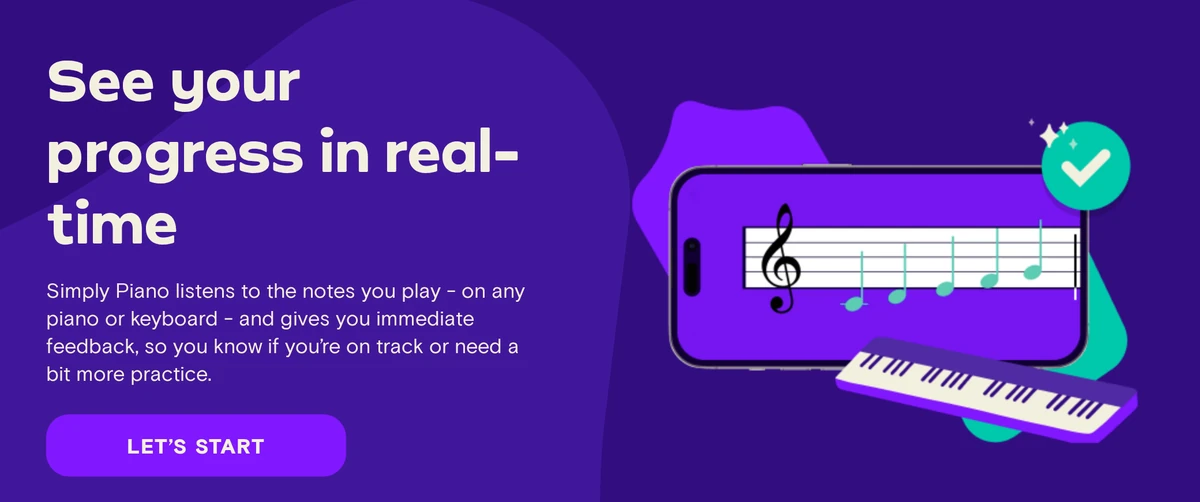
Simply Piano hears the notes you play through your device microphone on any piano or keyboard and gives immediate feedback. With a MIDI cable, or Bluetooth MIDI on iPhone and iPad, note recognition becomes exact.
Two paths after the basics
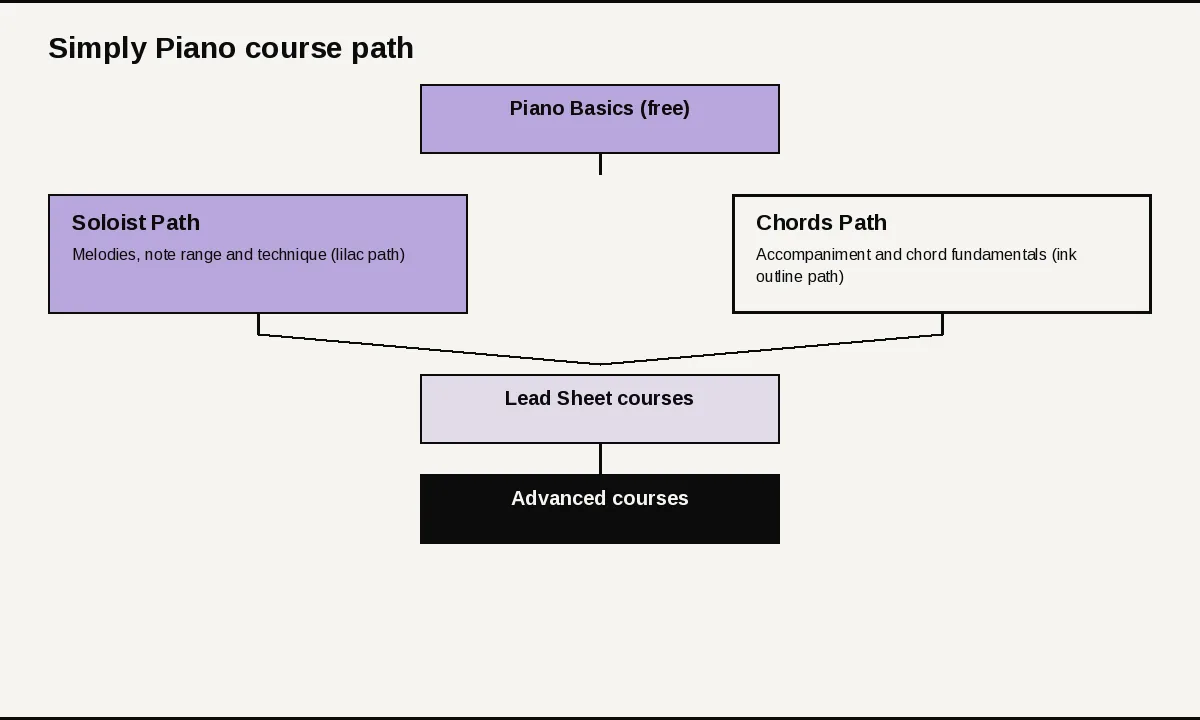
After the free Piano Basics course, the app splits into the blue Soloist Path for melodies, note range and technique, and the pink Chords Path for accompanying songs and chord fundamentals. Lead Sheet courses sit between them and draw on both.
Built for families
The Family Plan covers up to 5 profiles on one account, each with its own progress, and includes all of Simply’s apps. Simply also makes Simply Guitar and Simply Sing, so a household can share one subscription across instruments.
How we evaluated Simply Piano
We reviewed Simply Piano’s course paths, lesson design, song library and the ways it hears you play. We also checked pricing, trial and refund terms, device support and family plans.
We compared it on the four factors in how we score lesson platforms. For setup and ease of use, we assessed device support, microphone and MIDI options and the free courses. For quality of lessons and teachers, we looked at the step by step lesson design and the Soloist and Chords paths.
For range of content, we compared more than 450 lessons, the Lead Sheet and advanced courses and a library from classical to Disney. For useful features, we weighed instant feedback, slowed down songs, 5 Min Workouts, Touch courses and family profiles.
We found that Simply Piano is strongest for beginners and families who want a quick, phone first start, and that the lack of a desktop version and the shifting prices are the main things to check before paying. Commissions do not influence which products appear here or how they rank.
Our scores
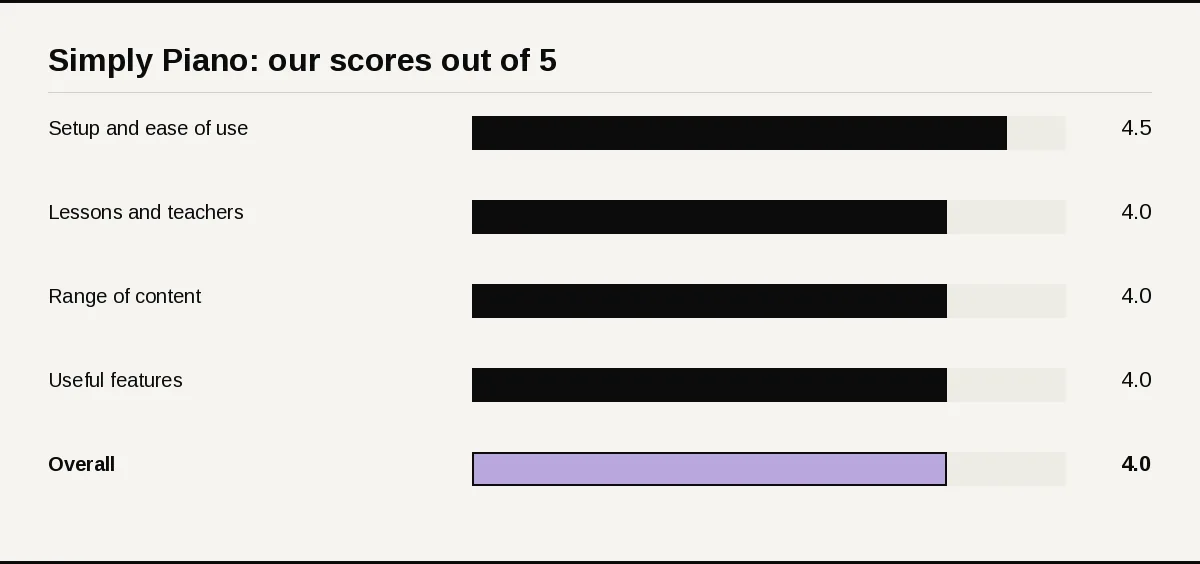
- Setup and ease of use: 4.5/5. It works with any piano or keyboard through the microphone, a MIDI cable or Bluetooth MIDI on iPhone and iPad, and two courses are free. There is no Windows or desktop version.
- Quality of lessons and teachers: 4/5. Step by step lessons designed by music teachers, with clear Soloist and Chords paths. The lessons are app led rather than taught by named video teachers.
- Range of content: 4/5. More than 450 lessons, Lead Sheet and advanced courses, and songs from classical pieces to chart hits and Disney.
- Useful features: 4/5. Instant feedback, slowed down songs, personalized 5 Min Workouts, on screen Touch courses and up to 5 family profiles.
- Overall: 4/5.
The overall score is the average of the four factor scores, rounded to the nearest half point. Here the average of 4.5, 4, 4 and 4 is 4.125, which rounds to 4.
What you need to use Simply Piano
Three checks decide how well Simply Piano hears you: your device, your keyboard’s ports and your room. Get them right before the trial starts.
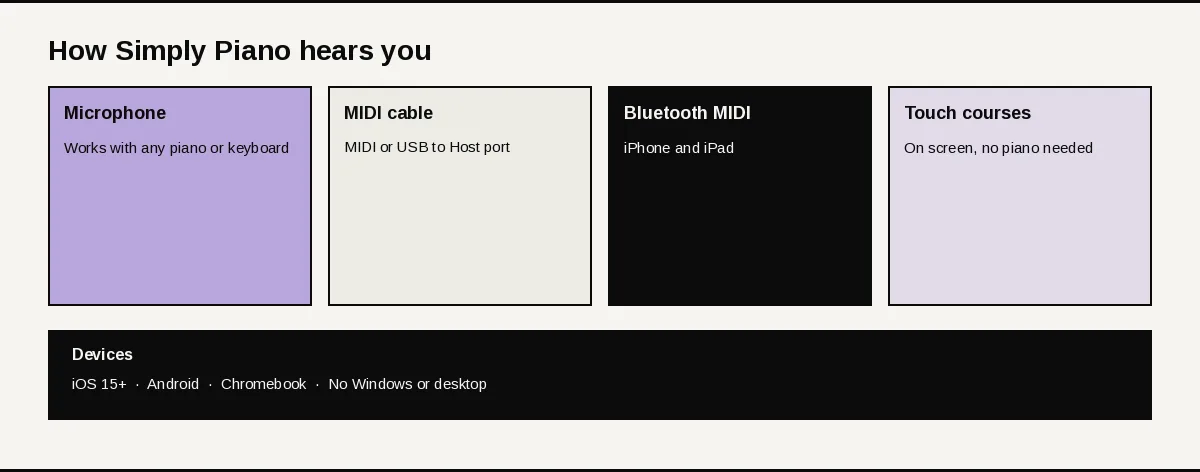
Supported devices
- iPhone and iPad: iOS 15.0 or later.
- Android phones and tablets.
- Google Chromebooks.
- No Windows or desktop version.
Ways the app hears you
- Microphone: place your device on the piano and play; this works on any acoustic or digital piano or keyboard.
- MIDI cable: keyboards with a MIDI port or a USB to Host port connect with the right cable and adapter for exact note recognition.
- Bluetooth MIDI: on iPhone and iPad, keyboards with built in Bluetooth MIDI pair from Menu, Settings, MIDI Settings.
- No piano yet: Touch courses turn the screen into a keyboard.
Getting started
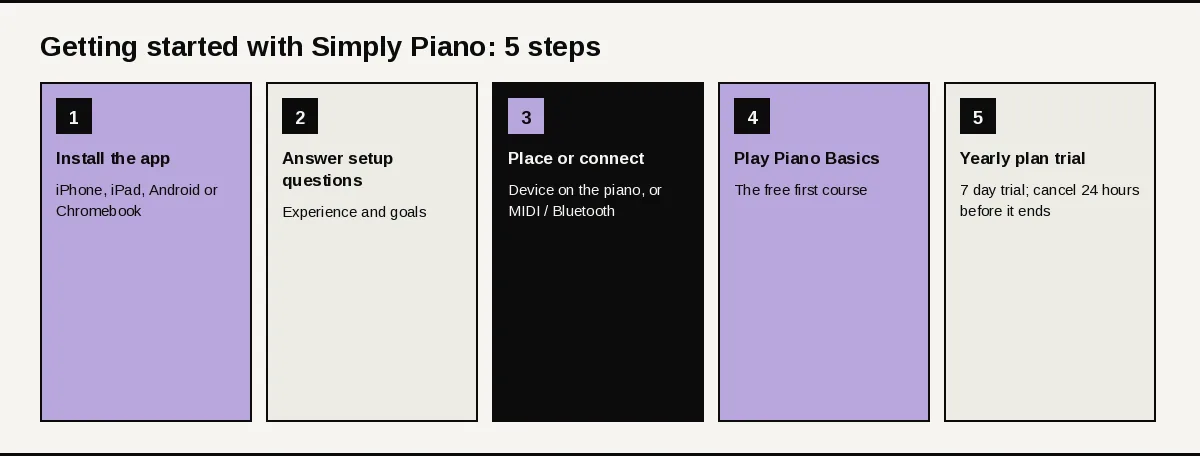
Take these five steps in order to get from download to your first song.
First session checklist
- Install the app on an iPhone, iPad, Android device or Chromebook.
- Tap Get Started and answer the questions about your experience and goals.
- Place the device on your piano, or connect a MIDI cable or Bluetooth MIDI keyboard.
- Play the free Piano Basics course.
- If you want more, pick a yearly plan for the 7 day trial, and note that the trial must be canceled at least 24 hours before it ends to avoid a charge.
How the app is organized
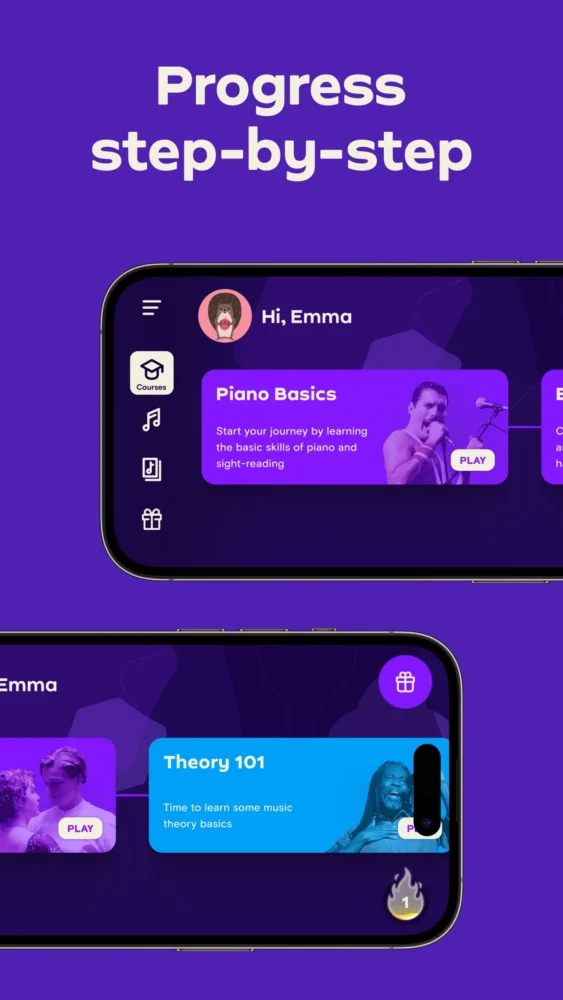
The main screen is a row of courses, with Premium courses marked. Menu holds Join Simply for plans, Switch Profiles for family members and Settings for MIDI.
Curriculum deep dive
The path runs from first notes to reading lead sheets, one short step at a time.
Piano Basics
Piano Basics is the free first course. It builds basic skills such as sight reading and gets you ready for the songs ahead.
Soloist Path
The blue Soloist courses focus on melodies, a wider note range and polished technique. If you are unsure where to go next, this is the recommended starting path.
Chords Path
The pink Chords courses teach accompanying songs, chord fundamentals and different music styles. They suit players who want to sing along or back up a melody.
Lead Sheet courses
Lead Sheet courses sit between the two paths and use skills from both. You need to finish the courses before them on both paths first.
Advanced courses
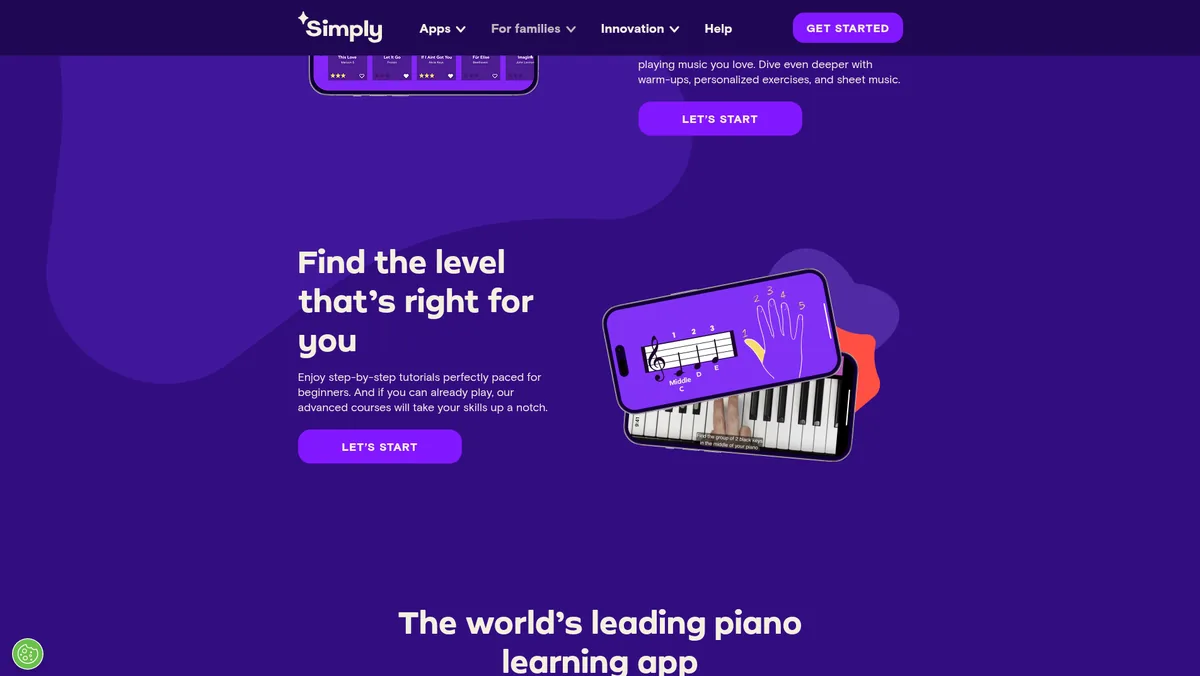
Players who can already play can move up to advanced courses. New courses and songs are added every month.
Songs and practice tools
The song library
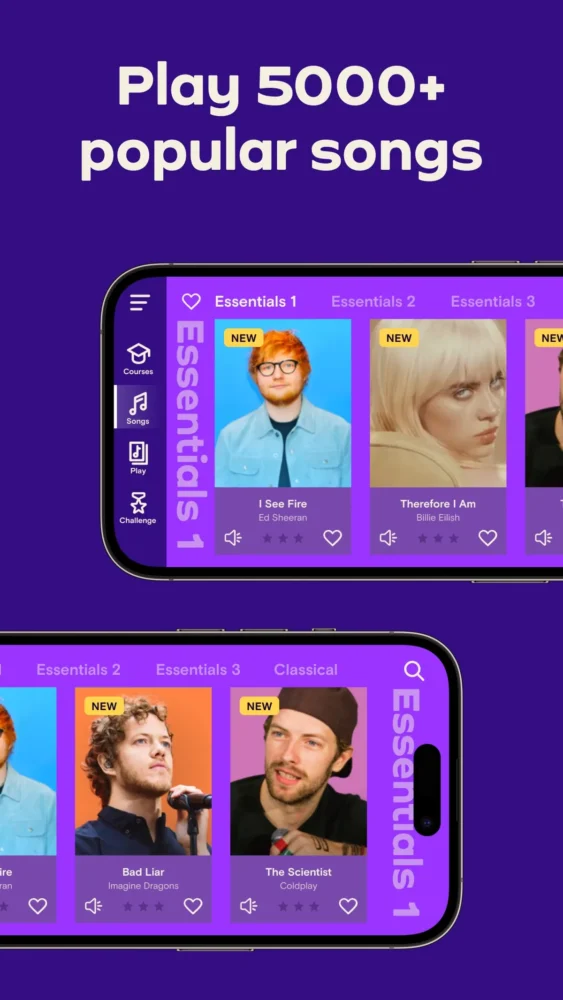
The library runs from classical pieces to chart topping hits and Disney songs. Titles include “Imagine,” “Chandelier,” “All Of Me” and “Counting Stars,” with J.S. Bach on the classical side.
How practice works
Library songs can be slowed down so you can learn at your own pace. Personalized 5 Min Workouts add short daily practice, and warm ups and exercises build skills between songs.
Does Simply Piano actually correct your playing?
It corrects your notes. Simply Piano listens to what you play on any piano or keyboard and gives immediate feedback, and a MIDI cable, or Bluetooth MIDI on iPhone and iPad, gives exact note recognition.
The toolkit splits in two: features that tell you how you did, and tools that shape how you practice.
Feedback and progress
- Instant feedback: the app listens and shows whether you are on track as you play.
- Progress per profile: each family profile keeps its own progress.
- Exact recognition with MIDI: cable or Bluetooth MIDI for note perfect input.
Simply Piano listens through the mic or a MIDI connection and gives automatic note feedback as you play. Check steady timing against a metronome or a recording of yourself. Check dynamics, hand position, finger technique and posture yourself or with a teacher.
Practice tools
- Slow down songs: set your own pace in the library.
- 5 Min Workouts: short personalized practice sessions.
- Touch courses: learn on an on screen keyboard before you own a piano.
- Sheet music: sheet music sits alongside songs and exercises.
- Ad free: the app is family safe and 100% ad free.
Automatic, recorded or live?
- Automatic feedback: this is how Simply Piano works, with the app listening and responding in every lesson.
- Lessons: step by step app lessons designed by music teachers, rather than recorded video lessons from a named teacher.
- Instructor video review or live lessons: if you want a teacher to watch your recordings or teach you live, arrange that with a local or online teacher.
Our recommendation: connect a MIDI cable if your keyboard has a port, and slow songs down until you can play them through. Record yourself once a week to check timing and hand position. If technique matters to you, add an occasional lesson with a teacher.
Pros and cons
Where it’s strong
- Works with any piano or keyboard through the microphone, plus MIDI cable or Bluetooth MIDI
- Two free courses, Piano Basics and Touch Intro
- Clear Soloist and Chords paths that meet at Lead Sheet courses
- More than 450 step by step lessons and a library from classical to Disney
- Family Plan with up to 5 profiles and all Simply apps
- Ad free and suitable for all ages
Where it falls short
- No Windows or desktop version
- Prices vary by country, platform and offer
- The 7 day trial is only on yearly plans
- App led lessons rather than named video teachers
- Deleting the app does not cancel your subscription
Price, trial and refund
Simply Piano’s prices change with your country, your platform and the offer in front of you. The table shows the US prices for plans bought on iPhone and iPad, with the current 20% off sale next to the regular yearly price. Sale prices change, so check Menu, then Join Simply, in the app before you pay.
| Plan (US, iPhone and iPad) | Regular US price | Current sale | Trial | Refund |
|---|---|---|---|---|
| 12 months Premium | $119.99 or $149.99, depending on the plan shown | Sale: $95.99 for 12 months, 20% off (regularly $119.99) | 7 days on yearly plans | Through Apple for iPhone and iPad purchases |
| Individual Plan | $24.95 or $119.99 | No sale at check | 7 days on yearly plans | As above |
| Family Plan (up to 5 profiles) | $34.95 or $179.99 | No sale at check | 7 days on yearly plans | As above |
| 3 months Premium | $74.99 | No sale at check | None | As above |
Yearly plans are paid up front, monthly plans are charged on the same date each month, and both renew automatically until you cancel. Paying by card or PayPal on the web, or through Android, can bring a different price.
Trial, renewal and refunds
The 7 day free trial comes only with yearly plans and only once per account or Apple ID. Cancel at least 24 hours before it ends to avoid a charge; after canceling a paid plan, access continues to the end of the period.
Card, PayPal and Android payments are eligible for a full refund within 30 days of purchase. Purchases made on iPhone or iPad are refunded by Apple, and a refund also ends your Premium access.
How to judge it during the free trial
Use the trial week to test the things that decide whether you will keep paying.
- Record the same short right-hand pattern on day 1 and day 6.
- Finish both free courses first, then start one Premium path lesson with mic or MIDI feedback on.
- Try a song at slower speed and check whether note detection feels accurate on your instrument.
- If you share a device, create a second profile and confirm family switching works.
- Cancel in the App Store, Google Play, or your Simply account before renewal if you do not want Premium.
How it compares
| App | Best for | Free option | Devices | How it hears you | Lesson style |
|---|---|---|---|---|---|
| Simply Piano | Beginners, kids and families learning on a phone or tablet | Two free courses; 7 day trial on yearly plans | iOS, Android, Chromebook | Microphone, MIDI cable, Bluetooth MIDI on iPhone and iPad | App led paths |
| Playground Sessions | Learners who want to practice on a Windows PC or Mac | 7 day trial | iOS, Android, Windows, Mac | USB or MIDI cable recommended; microphone for acoustic | Bootcamp with video teachers |
| flowkey | Learning songs by watching a pianist’s hands, including in a browser | 7 day trial on yearly plans | iOS, Android, web browser | Microphone or MIDI | Video of a pianist’s hands |
| Skoove | Learners who want a guided course that plans each lesson | 7 day trial with a 12 month plan | iOS, Android | Microphone or MIDI | Guided course |
Playground Sessions
Playground Sessions runs on Windows and Mac as well as phones and tablets, with a three level Bootcamp and named video teachers. It suits learners who want to practice at a computer and read real notation. Our side by side look at both apps goes deeper.
flowkey
flowkey also works in a web browser and teaches songs from video of a pianist’s hands. It suits players who would rather watch and copy than follow a game style path.
Skoove
Skoove is another guided course app with a 7 day trial on its 12 month plan. It suits learners comparing app led courses side by side.
When to choose an alternative
- Choose Playground Sessions over Simply Piano if you want to practice on a Windows PC or Mac with a structured Bootcamp; see our Playground Sessions vs Simply Piano comparison.
- Choose flowkey over Simply Piano if you want to learn songs in a web browser from video of a pianist’s hands; see our flowkey vs Simply Piano comparison.
- Choose Skoove over Simply Piano if you want a guided course that plans each lesson for you, with theory and note reading built into the lessons.
Who should skip it
- Desktop learners: there is no Windows or Mac version.
- Learners who want a human teacher on screen: lessons are app led rather than taught by named video teachers.
- Bargain hunters who hate guesswork: prices shift with country, platform and offer, so the price you see may differ from someone else’s.
FAQs
How much does Simply Piano cost?
Prices vary by country, platform and offer. In the US on iPhone and iPad, 12 months Premium is $119.99 or $149.99, the Family Plan is $34.95 or $179.99, and 3 months Premium is $74.99. On the current 20% off sale, 12 months is $95.99 (regularly $119.99).
Is Simply Piano free?
Partly. Piano Basics and Touch Intro are free, and the rest of the courses and the song library need a subscription.
Is there a free trial?
Yes. Yearly plans come with a 7 day free trial, limited to one per account or Apple ID.
Can I get a refund?
Card, PayPal and Android payments are eligible for a full refund within 30 days of purchase. Purchases on iPhone or iPad are refunded by Apple.
How do I cancel Simply Piano?
Turn off the renewal in your account settings for the platform you paid on; deleting the app does not cancel it. Cancel a trial at least 24 hours before it ends to avoid a charge.
Does Simply Piano work with an acoustic piano?
Yes. The app listens through your device microphone on any piano or keyboard.
Can I connect a MIDI keyboard?
Yes. Keyboards with a MIDI or USB to Host port connect by cable, and iPhones and iPads also support Bluetooth MIDI keyboards.
Is there a Simply Piano app for Windows or Mac?
No. Simply Piano runs on iPhone, iPad, Android devices and Chromebooks, with no Windows or desktop version.
Can my family share one subscription?
Yes. The Family Plan covers up to 5 profiles on one account, each with its own progress, and includes all Simply apps.
Is Simply Piano good for kids?
Yes. It suits all ages, needs no previous knowledge and is ad free.
Prop up the phone, play the first notes of Piano Basics and Simply Piano tells you how you did. Use the free courses to check it hears your piano clearly, then decide on a plan. If a one time course appeals more than an app, the Pianoforall chord first course is worth a look, and our ranked piano lesson guide covers every other option.