Piano Marvel is worth it if you want to read real sheet music and have software score your note and rhythm accuracy, alone or alongside a teacher. The catch is setup: accurate scoring needs a USB or MIDI keyboard, and microphone scoring works only on iPhone and iPad. We score it 4/5: start with the free account to test your keyboard, then pick the $129.99 annual plan unless you only want Premium for a month or two at $17.99 a month.
Piano Marvel is practice software for people who want to read real sheet music, not follow falling notes. You play a piece on a connected keyboard, and it marks each note green or red and scores your accuracy.
That focus on reading is why Piano Marvel sits in our ranked guide to online piano lessons as the pick for sight-reading and classical progress. The trade-off is setup: you get the best results with a USB or MIDI keyboard, and the feedback comes from software rather than a teacher.
4/5
- Freeaccount with level 1 lessons
- 18song levels, beginner to pro
- 14-dayrefund on website plans
- 90sight-reading sublevels
- $129.99a year for Premium
- $17.99a month for Premium
Piano Marvel is practice software that scores your note and rhythm accuracy on real sheet music, with graded songs and an adaptive sight-reading test. It suits readers, classical students and pupils with a teacher, as long as you have a USB or MIDI keyboard.
- Best for
Learners who want to read music fluently, take graded steps and track sight-reading
- Less suited
Acoustic piano players on Android or a computer, and anyone who wants a teacher on call
- Keyboard
A USB or MIDI keyboard; microphone scoring works on iPhone and iPad only
- Trial
A free account with level 1 lessons; website plans have a 14 day refund window
- Price
Premium $17.99 monthly; $129.99 yearly; free account $0; US prices
Who it’s for
Piano Marvel suits learners who care about reading music and moving up through graded levels. It also suits students who already have a piano teacher, since teachers can follow their practice.
A good fit if you
- Want to read standard notation fluently, from Middle C to advanced repertoire.
- Like graded songs and a measurable sight-reading score.
- Practice on a digital piano or keyboard with USB or MIDI.
- Have a teacher who wants to see your practice between lessons.
- Prefer to start free and upgrade only once your setup works.
A limited fit if you
- Play an acoustic piano and practice on a computer or Android device.
- Want a teacher on video explaining every step, or feedback from a person.
- Mainly want to play pop songs by ear or with chords.
- Rely on an Android phone or tablet, where the app is still in beta.
What sets it apart
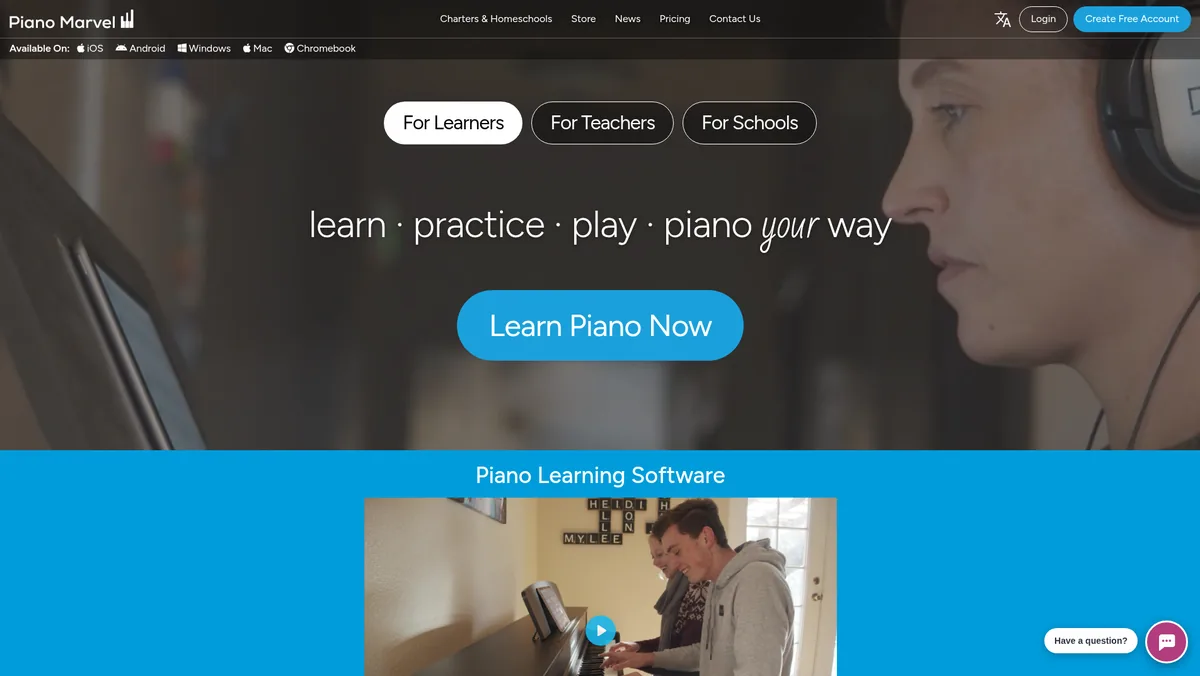
Piano Marvel uses real sheet music from the first lesson and scores how accurately you play it.
Scored on real notation
In Play Mode, notes you play correctly turn green and mistakes turn red, and each run gets a score for note and rhythm accuracy. Scores of 80%, 90%, 96% and 100% earn bronze, silver, gold and super gold medals.
A sight-reading test that adapts
The SASR picks your next sight-reading excerpt from your last result. Your score maps to Piano Marvel’s 18 levels, so you can see your reading level climb over time.
Built for teachers too
Students can link their account to a teacher, who then sees their progress. Practice time can also be emailed to teachers and parents automatically.
How we evaluated Piano Marvel
We reviewed Piano Marvel’s lesson paths, song library, practice modes, sight-reading test and teacher tools. We also checked US prices, the free account, refund terms, device support and keyboard requirements.
We compared it on the four factors in how we score lesson platforms. For setup and ease of use, we assessed devices, browsers and the gear you need. For quality of lessons and teachers, we looked at the lesson videos and the guidance around them.
For range of content, we compared the levels, the Method and Technique paths and the song library. For useful features, we weighed the practice modes, scoring, the SASR, progress tracking and teacher links.
Our scores
- Setup and ease of use: 3.5/5. Chrome on a computer and the iPhone and iPad app are well supported. You need a USB or MIDI keyboard for accurate scoring, microphone input is limited to iOS and the Android app is in beta.
- Quality of lessons and teachers: 3.5/5. Short, focused lesson videos guide the Method and Technique paths. Its feedback is automatic, and Piano Marvel itself suggests a teacher for musical expression.
- Range of content: 4.5/5. Songs across 18 levels from beginner to pro, classical and licensed pop titles, and an adaptive sight-reading test with 90 sublevels.
- Useful features: 4.5/5. Practice Mode, Play Mode scoring, medals, the SASR, song uploads and teacher linking with practice emails.
- Overall: 4/5.
The overall score is the average of the four factor scores, rounded to the nearest half point.
What you need to use Piano Marvel
You need a keyboard you can connect and a supported device. Check both before you pay for Premium.
Keyboard
- A USB or MIDI capable digital piano or keyboard. A USB TO HOST port with a direct cable is the most reliable link.
- Bluetooth MIDI works but is less reliable and can add delay.
- 41 keys are enough up to Level 1 and 66 keys up to Level 3, while 88 keys give the best experience.
- No connectable keyboard yet? Start with our guide to MIDI keyboards.
Devices
- Google Chrome on Windows, macOS or ChromeOS. Other browsers may work, but Chrome is the most reliable, and at least 6GB of RAM is recommended on a PC.
- The App Store app on iPhone and iPad. The web app does not work on iOS devices.
- The Android app, which is in beta. Piano Marvel recommends Chrome on Android devices instead.
- A stable internet connection.
Acoustic pianos
On iPhone and iPad, microphone assessment listens to an acoustic piano without any cable. Piano Marvel says it is less accurate than MIDI, especially at higher levels, with fast passages and complex chords.
Getting started
Create a free account and confirm your keyboard works before you upgrade. Piano Marvel’s own advice is to test notes, sound and timing first.
First week checklist
- Connect your keyboard in Chrome or the iPad app and play a few notes to check they register.
- Start Method 1 and watch the short video for each exercise before you play it.
- Learn each new piece in Practice Mode, then try for a score in Play Mode.
- Take a SASR test to get your first sight-reading score.
- If you have a teacher, link your account under My Teacher.
Curriculum deep dive
Piano Marvel is organized into lessons and a library. The lessons split into a Method path for reading and playing and a Technique path for skills.
Method and Technique
The Method starts at Middle C and adds notes, rhythms and both hands step by step. Technique covers rhythm, ear training, scales, arpeggios and chords, and the free account includes the first level of both.
Song library
The library holds classical, pop, jazz and film titles, including music from Hal Leonard, Alfred and FJH. Songs run across 18 levels, and Premium lets you upload your own music.

Video lessons
Hundreds of lesson videos sit just below the song title in the music view. Many run a minute or less and explain only what you need for that piece.
Practice modes and sight-reading
Piano Marvel suggests a Video, Practice, Play sequence for learning a new piece. Each mode does a different job.
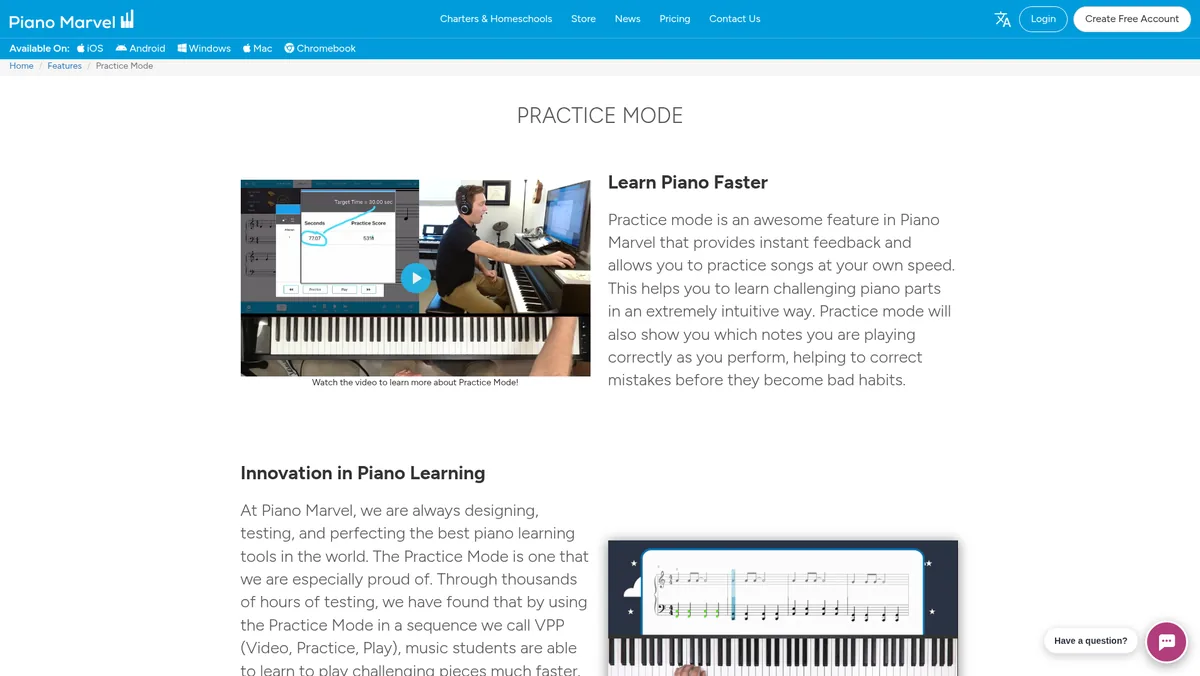
- Practice Mode: waits for you to play, so you set the tempo and work through notes and rhythms at your own pace.
- Play Mode: plays at tempo, marks each note green or red and gives you an accuracy score and a medal.
- SASR: an adaptive sight-reading test with 90 sublevels across 18 levels, scored from 100 to 1,900.
Each 100 SASR points equals one level, so 550 means mid level 5. Free accounts get up to 3 tests and Premium is unlimited, and a 30 day challenge suggests one test a day for about 12 minutes.
Does Piano Marvel actually correct your playing?
Yes, for notes and rhythm. In Play Mode, correct notes turn green and mistakes turn red, and each run gets a score for note and rhythm accuracy, while Practice Mode waits for you to play before it moves on.
What it does not judge
Piano Marvel says its Play Mode primarily assesses note and rhythm accuracy, and that it does not assess dynamics, articulation or other expressive elements. It recommends that serious learners also work with a piano teacher on musical expression. Check dynamics, phrasing, hand position and posture yourself or with a teacher.
Feedback type
On our three-way split of automatic feedback, asynchronous instructor video and live lessons, Piano Marvel’s feedback is automatic: the software scores your playing. If you study with a teacher, linking your account lets them see your progress, and practice time can be emailed to teachers and parents. That is progress visibility for your own teacher, while lessons with a Piano Marvel certified teacher are arranged separately.
Our advice: use a USB cable rather than Bluetooth or the microphone for the most reliable scoring, and record yourself now and then to check dynamics and phrasing. For feedback on expression and technique, book occasional lessons with a teacher and link your account so they can follow your practice.
Progress and motivation
Progress tracking, medals and a SASR chart show how you improve over time. Regular challenges let you compete with other pianists, and the App Store app also sells some songs separately from $1.99.
Pros and cons
Where it’s strong
- Real sheet music from the first lesson
- Note and rhythm scoring on everything you play
- Songs graded across 18 levels
- Unlimited adaptive sight-reading tests on Premium
- Teacher linking and practice emails for parents
- Free account to test your setup
- Annual plan works out under $11 a month
Where it falls short
- Works best with a USB or MIDI keyboard
- Microphone scoring is iPhone and iPad only and less accurate
- Android app still in beta
- Scoring does not assess dynamics or articulation
- Free account excludes licensed songs
Price, refund and free account
Piano Marvel has a free account and one Premium tier, billed monthly or yearly. The table shows regular US prices, and no sale price was listed at our latest price check.
| Plan | Regular US price | Works out at | What you get | Refund |
|---|---|---|---|---|
| Free | $0 | $0 | First level of Method and Technique, unlicensed songs, up to 3 SASR tests | Not applicable |
| Premium monthly | $17.99 a month | $17.99 a month | Full lessons and library, unlimited SASR, song uploads | 14 days from purchase on the website |
| Premium annual | $129.99 a year | $10.84 a month, as Piano Marvel shows it | Full lessons and library, unlimited SASR, song uploads | 14 days from purchase on the website |

Premium costs the same $17.99 and $129.99 in the App Store. Prepaid subscription codes from the Piano Marvel store add 3, 6 or 12 months or more without auto-renewal, and they must be applied on the web.
Promo codes, such as those some teachers share, discount Monthly plans only. They do not change the annual price.
Renewal, cancelation and refunds
Website plans renew automatically until you cancel under My Account, Billing, and access continues to the end of the period. Refunds on website purchases are guaranteed within 14 days of purchase, and none are given after that.
If you subscribed in the iPhone or iPad app, you cancel in your Apple settings and request any refund from Apple. Website and Apple subscriptions do not sync, so pick one route.
Free trial checklist
The free account is your trial on the website, and the iPad app mentions a Premium trial without giving its length. Use either to check the things Premium cannot fix.
- Connect your keyboard and confirm notes, sound and timing register correctly before paying.
- Pick one login method, email, Google, Facebook or Apple, and keep using it, since each one makes a separate account.
- Play a Method 1 exercise in Practice Mode, then in Play Mode, and see whether the scoring motivates you.
- Take a SASR test to see your starting level.
- Decide on website or App Store billing before you upgrade, and note the 14 day refund window on website plans.
How it compares
| Option | Best for | Format | Feedback on your playing | Price model |
|---|---|---|---|---|
| Piano Marvel | Sight-reading and graded progress with a USB or MIDI keyboard | Sheet music practice software with graded songs and a sight-reading test | Automatic: note and rhythm scoring, best over MIDI | Free account, subscription |
| Playground Sessions | A structured Bootcamp that leans toward pop songs | Bootcamp with video teachers | Automatic in the app | Subscription, 7 day trial |
| Flowkey | Song-first learners on an acoustic piano, including on a computer | App with video of a pianist’s hands and sheet music | Automatic: mic or MIDI note recognition | Free account, subscription |
| Pianote | Adults who want a teacher explaining each step, with feedback from people | Follow-along teacher videos, mentors, weekly live Q&As | Human: mentors and live Q&As | Subscription, 7 day trial |
Playground Sessions
Playground Sessions also scores notes on a staff and leans more toward pop songs. Our Playground Sessions vs Piano Marvel comparison goes through the differences.
Flowkey
Flowkey listens through a microphone or MIDI on phones, tablets and computers. Choose it if you play an acoustic piano and want to learn songs rather than work through graded reading.
Pianote
Pianote teaches through a teacher on video, with mentors and weekly live Q&As. Choose it if you want people to explain and respond, rather than software scoring every note.
When to choose an alternative
- Choose Playground Sessions over Piano Marvel if pop songs matter more than graded reading; our head-to-head comparison has the details.
- Choose Flowkey over Piano Marvel if you play an acoustic piano on a computer or Android device.
- Choose Pianote over Piano Marvel if you want feedback from people.
Who should skip it
- Acoustic players without iOS: microphone scoring works only on iPhone and iPad.
- Learners who want a teacher on call: the feedback is automatic scoring, and Piano Marvel points you to a teacher for expression.
- Android-only households: the Android app is in beta, so you would rely on Chrome.
FAQs
Is Piano Marvel worth it?
Piano Marvel is worth it if reading music, graded songs and sight-reading matter most and you have a USB or MIDI keyboard. Premium costs $129.99 a year in the US, and the free account lets you test your setup first. If you play an acoustic piano on a computer, Flowkey is the easier fit.
How much does Piano Marvel cost?
Premium costs $17.99 a month or $129.99 a year in the US, which Piano Marvel shows as $10.84 a month on the annual plan. The free account costs nothing, and Premium costs the same in the App Store.
Does Piano Marvel have a free trial?
On the website, the route is a free account with the first level of Method and Technique lessons, unlicensed library songs and up to 3 SASR tests. The iPhone and iPad app mentions a Premium trial for new accounts without giving its length, and copyrighted music stays locked until you upgrade.
What is Piano Marvel’s refund policy?
Website purchases, monthly, annual or prepaid codes, can be refunded within 14 days of purchase. After 14 days there are no refunds, and your plan runs to the end of the term. Apple handles refunds for subscriptions bought in the iPhone or iPad app.
Does Piano Marvel give feedback on my playing?
Yes, automatically. Play Mode marks notes green or red and scores your note and rhythm accuracy, while Practice Mode waits for you to find the right notes. Piano Marvel says it does not assess dynamics or articulation and recommends a teacher for expression, and a teacher you link to can see your progress.
Do I need a MIDI keyboard for Piano Marvel?
For computers and the most accurate scoring, yes: Piano Marvel requires a USB or MIDI capable keyboard. On iPhone and iPad, microphone assessment can listen to an acoustic piano, but it is less accurate and struggles with fast passages and chords.
What devices does Piano Marvel work on?
It runs in Google Chrome on Windows, macOS and ChromeOS, and in the App Store app on iPhone and iPad. The Android app is in beta, so Piano Marvel recommends Chrome on Android devices instead. The web app does not work on iPhone or iPad.
How many keys do I need for Piano Marvel?
Piano Marvel says 41 keys are enough up to Level 1 and 66 keys up to Level 3. An 88 key MIDI keyboard gives the best experience for the later levels.
What is the SASR test?
The SASR, or Standard Assessment of Sight-Reading, is an adaptive test with 90 sublevels across 18 levels. Scores run from 100 to 1,900, and each 100 points is one level, so 550 means mid level 5. Free accounts get up to 3 tests, and Premium is unlimited.
Is Piano Marvel good for kids with a piano teacher?
Yes, it is built with teachers in mind. Students link their own account to a teacher, who can then see their progress, and practice time can be emailed to teachers and parents automatically.
Create a free account, connect your keyboard and take a first SASR test. If the scoring keeps you reading and practicing, the annual plan is the better value. Our full guide to the best online piano lessons covers every other option.