The best music writing software helps you put notes on a staff, play the score back, and export a part or a PDF. This guide compares current notation programs by platform and price, using each vendor’s official listing.
MakeMusic ended Finale, so it is not in the finder or the shortlist. Steinberg’s Dorico is a current desktop option, but official US list prices were not extractable from Steinberg’s JavaScript product pages when this catalog was built, so Dorico is not in the finder yet.
The MIDDERMUSIC Gear Finder below matches you from official listings and November 2026 US list prices.
MIDDERMUSICGear Finder
Find music writing software that matches that match.
Find music writing software for your platform and budget.
Skip to the matching notation programsYour answers
0 of 6 answered
Answer any question, in any order. The list updates as you go.
All 8 notation programs
8 of 8 notation programs match
Prices noted in November 2026.
All 8 notation programs are listed below. The questions start working when JavaScript runs.
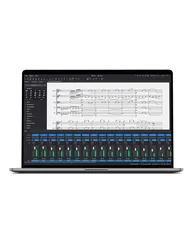
Image: MuseScore, MuseScore MuseScore Studio product page (opens in a new tab) MuseScore
1. MuseScore Studio
Notation software · Free · Windows, Mac, Linux
MuseScore Studio is a free desktop notation program for Windows, Mac and Linux, for writing, playing back and exporting scores. It is a desktop program, so writing on a phone or tablet needs a different app.
Specs and notes for MuseScore MuseScore Studio
- Experience
- Beginner / Intermediate / Advanced
- Main uses
- Scoring / Learning
- Type
- Notation software
- Platforms
- Windows, Mac, Linux
- Price
- Free
- Budget band
- Free
- Price model
- Free
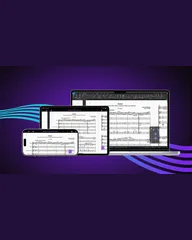
Image: Avid, Avid Sibelius product page (opens in a new tab) Avid
2. Sibelius
Notation software · Subscription · Windows, Mac, iPhone, iPad
Sibelius is Avid's notation suite for desktop and mobile, with Artist and Ultimate plans for anything from lead sheets to full orchestral scores. The shown price is a yearly plan, so it is an ongoing cost. The perpetual Ultimate bundle costs much more up front.
Specs and notes for Avid Sibelius
- Experience
- Intermediate / Advanced
- Main uses
- Scoring / Learning
- Type
- Notation software
- Platforms
- Windows, Mac, iPhone, iPad
- Price
- From $99 a year
- Budget band
- Subscription (monthly or yearly)
- Price model
- Subscription
- Editions
- Artist $99 a year, Ultimate $199 a year, or the Ultimate perpetual bundle at $899 list.

Image: Fender, Fender Notion product page (opens in a new tab) Fender
3. Notion
Notation software · Free · iPhone, iPad, Mac
Notion is Fender's free notation and tablature app for iPhone, iPad and Mac, with playback samples and MusicXML, MIDI, PDF and audio export. It runs on Apple devices only, so Windows and Android users need another option.
Specs and notes for Fender Notion
- Experience
- Beginner / Intermediate / Advanced
- Main uses
- Scoring / Guitar tab / Learning
- Type
- Notation software
- Platforms
- iPhone, iPad, Mac
- Price
- Free
- Budget band
- Free
- Price model
- Free

Image: Noteflight, Noteflight Noteflight product page (opens in a new tab) Noteflight
4. Noteflight
Notation software · Free and paid plans · Web
Noteflight is a browser-based notation editor you can start for free, so there is nothing to install. It needs a browser and an internet connection, and the extra features are on paid plans.
Free
Free plan, with paid upgrades
See it on the vendor’s site for Noteflight Noteflight (opens in a new tab)Specs and notes for Noteflight Noteflight
- Experience
- Beginner / Intermediate
- Main uses
- Scoring / Learning
- Type
- Notation software
- Platforms
- Web
- Price
- Free
- Budget band
- Free
- Price model
- Free and paid plans

Image: Flat, Flat Flat product page (opens in a new tab) Flat
5. Flat
Notation software · Free and paid plans · Web, iPhone, iPad
Flat is a notation editor for the browser, iPhone and iPad with a free plan, which makes it easy to write and share scores from different devices. The free plan limits how many scores and instruments you can use, so heavier use needs a paid Power plan.
Specs and notes for Flat Flat
- Experience
- Beginner / Intermediate
- Main uses
- Scoring / Learning
- Type
- Notation software
- Platforms
- Web, iPhone, iPad
- Price
- Free
- Budget band
- Free
- Price model
- Free and paid plans

Image: LilyPond, LilyPond LilyPond product page (opens in a new tab) LilyPond
6. LilyPond
Notation software · Free · Windows, Mac, Linux
LilyPond is a free, open-source engraver for Windows, Mac and Linux that produces carefully typeset scores from text files. You type music as code rather than clicking notes onto a staff, so it takes longer to learn than a graphical editor.
Specs and notes for LilyPond LilyPond
- Experience
- Intermediate / Advanced
- Main uses
- Scoring
- Type
- Notation software
- Platforms
- Windows, Mac, Linux
- Price
- Free
- Budget band
- Free
- Price model
- Free
Image: ScoreCloud, ScoreCloud ScoreCloud product page (opens in a new tab) ScoreCloud
7. ScoreCloud
Notation software · Free and paid plans · Windows, Mac, iPhone, iPad
ScoreCloud turns what you play or sing into notation, with a free Studio plan for Windows and Mac and paid monthly plans for more. The free plan saves up to 10 songs, and some advanced features need a paid plan.
Free
Free plan, with paid upgrades
See it on the vendor’s site for ScoreCloud ScoreCloud (opens in a new tab)Specs and notes for ScoreCloud ScoreCloud
- Experience
- Beginner / Intermediate
- Main uses
- Scoring / Learning
- Type
- Notation software
- Platforms
- Windows, Mac, iPhone, iPad
- Price
- Free
- Budget band
- Free
- Price model
- Free and paid plans
- Editions
- Free Studio plan (up to 10 saved songs), Plus $5.99 a month, Songwriter $11.99 a month and Pro $20.99 a month.

Image: Xenon Labs, Xenon Labs Symphony Pro product page (opens in a new tab) Xenon Labs
8. Symphony Pro
Notation software · One-time · iPhone, iPad
Symphony Pro is a one-time notation app for writing scores on an iPhone or iPad touch screen. It is a mobile app, so it is not a full desktop engraving suite and does not run on Windows or Android.
Specs and notes for Xenon Labs Symphony Pro
- Experience
- Beginner / Intermediate
- Main uses
- Scoring / Learning
- Type
- Notation software
- Platforms
- iPhone, iPad
- Price
- $14.99
- Budget band
- Under $100
- Price model
- One-time
No matching notation program
How to use the music writing software finder
Answer any of the questions, in any order. Platform and price model narrow the list. Main use changes the order.
A free plan can still cap how many scores you save, so read the notes and confirm current paid prices on the vendor’s page.
Our music writing software shortlist
Five current tools that cover a free desktop editor, a professional subscription, a free Apple app, and two browser options.
MuseScore Studio: best free desktop notation program
Price and platforms: Free on musescore.org, with official downloads for Windows, macOS and Linux. Pros: MuseScore states that Studio is free with no limitations, and it is built to write, play back and export scores. Cons: The MuseScore mobile app is a separate sheet-music product, not this desktop editor. See MuseScore Studio on its official site
Sibelius: best professional subscription option
Price and platforms: Official US list, seen 25 November 2026: Artist $99 a year, Ultimate $199 a year, and an Ultimate Perpetual Bundle at $899. Avid was showing sale prices of $79 and $159 a year that day; the finder uses the list figures. Desktop and mobile apps are part of the official product. Pros: Sibelius is Avid’s full notation suite, with Artist and Ultimate editions. Cons: The usual way to buy it is a yearly plan, unless you take the perpetual bundle. See Sibelius on Avid’s site
Notion: best free notation app on Apple devices
Price and platforms: Free on the US App Store. The official description lists iOS, iPadOS and macOS. Pros: Fender Digital describes notation and tablature editing, playback samples, and export to MIDI, MusicXML, PDF or audio, plus a link to Fender Studio Pro. Cons: The former PreSonus desktop product page now 404s, so this card follows the official App Store listing. See Notion on the App Store
Noteflight: best free-to-start browser editor
Price and platforms: Free to start in a browser on noteflight.com. Paid plans exist, but official Premium list amounts were not captured from a working pricing URL. Pros: You can write and share scores without installing a desktop program. Cons: Confirm current paid-plan prices on Noteflight’s site before you upgrade. See Noteflight on its official site
Flat: best free plan with a mobile app as well
Price and platforms: Free plan on flat.io, plus a free US App Store app. Paid Power plans are listed on the official pricing page; USD amounts were not cleanly extracted from that page, so they are not quoted here. Pros: Flat covers the browser and iPhone or iPad, and the free plan is enough to start composing. Cons: Confirm current Power plan prices on flat.io/pricing before you subscribe. See Flat on its official site
How to choose music writing software
If you want a free desktop editor with no license fee, start with MuseScore Studio. LilyPond is also free, but it is a text-based engraver, not a point-and-click score editor.
If you work mainly in a browser, Noteflight and Flat both have official free starts. ScoreCloud adds audio-to-score tools, with a free Studio tier limited to 10 saved songs and official paid plans at $5.99, $11.99 and $20.99 a month.
If you need a professional publishing suite, Sibelius is the subscription option in this finder, at a $99 or $199 yearly list depending on edition. Symphony Pro is a $14.99 one-time iPhone and iPad app if you want to write on a tablet.
Shortlist at a glance
| Program | Platforms in the finder | Price model | Official US price noted | Best for |
|---|---|---|---|---|
| MuseScore Studio | Windows, Mac, Linux | Free | Free | A free desktop editor |
| Sibelius | Windows, Mac, iPhone, iPad | Subscription | Artist $99/year list | Professional scoring |
| Notion | iPhone, iPad, Mac | Free | Free | Apple devices and tablature |
| Noteflight | Web | Free and paid plans | Free to start | Browser writing |
| Flat | Web, iPhone, iPad | Free and paid plans | Free plan | Browser plus a mobile app |
Methodology
MIDDERMUSIC compiled official US prices and product images on 25 November 2026 from vendor pages and the US iTunes lookup. Sale prices were not used when a higher official list was shown, including Sibelius Artist and Ultimate. Finale is omitted because MakeMusic ended it. Dorico, Guitar Pro and StaffPad were omitted when an official non-sale US list, an official image, or both could not be verified from a usable official page. This page is a buying guide from vendor facts, not a firsthand test report.
FAQs
What is the best free music writing software?
MuseScore Studio is the free desktop editor in this finder. LilyPond is also free if you are comfortable with a text-based workflow. Notion is free on official Apple listings, and Noteflight and Flat have official free starts in a browser.
Is Finale still available?
No. MakeMusic ended Finale. It is not offered as a current product in this finder. Existing Finale users should confirm current file-exchange and successor options on MakeMusic’s site.
Why isn’t Dorico in the finder?
Dorico is a current Steinberg product, but official US list prices were not extractable from Steinberg’s JavaScript pages when this catalog was built. It may be added later if a clear official list and image can be verified.
Can I write guitar tab in these programs?
Notion’s official listing covers notation and tablature. Other programs may support tab as well; confirm the feature on the vendor’s page before you buy or subscribe.